Product Tour
See Apollo in Action
A visual walkthrough of the platform — from daily documentation to AI-powered insights and full administrative control.
Dashboard
Your Entire Program at a Glance
The dashboard gives supervisors and coordinators an immediate view of every active trainee — performance percentages, current phase, assigned CTO, and outstanding work.

Trainee Profile
Everything About a Trainee, One Place
Each trainee has a comprehensive profile with tabs for DORs, assignments, checklists, notes, benchmarks, competencies, and exam scores.
DOR History
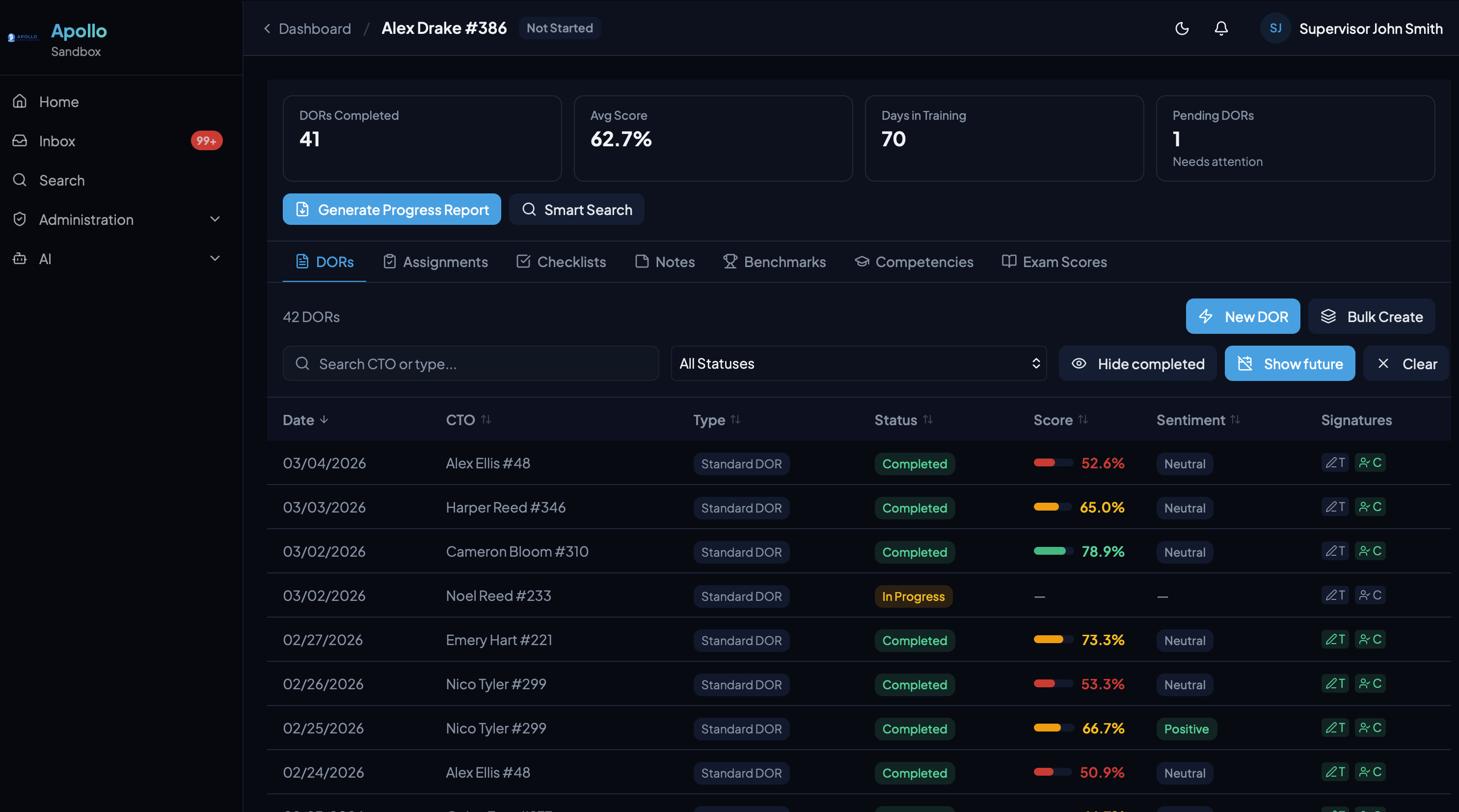
Complete record of every Daily Observation Report with scores, sentiment, and signature status.
Assignment Tracking
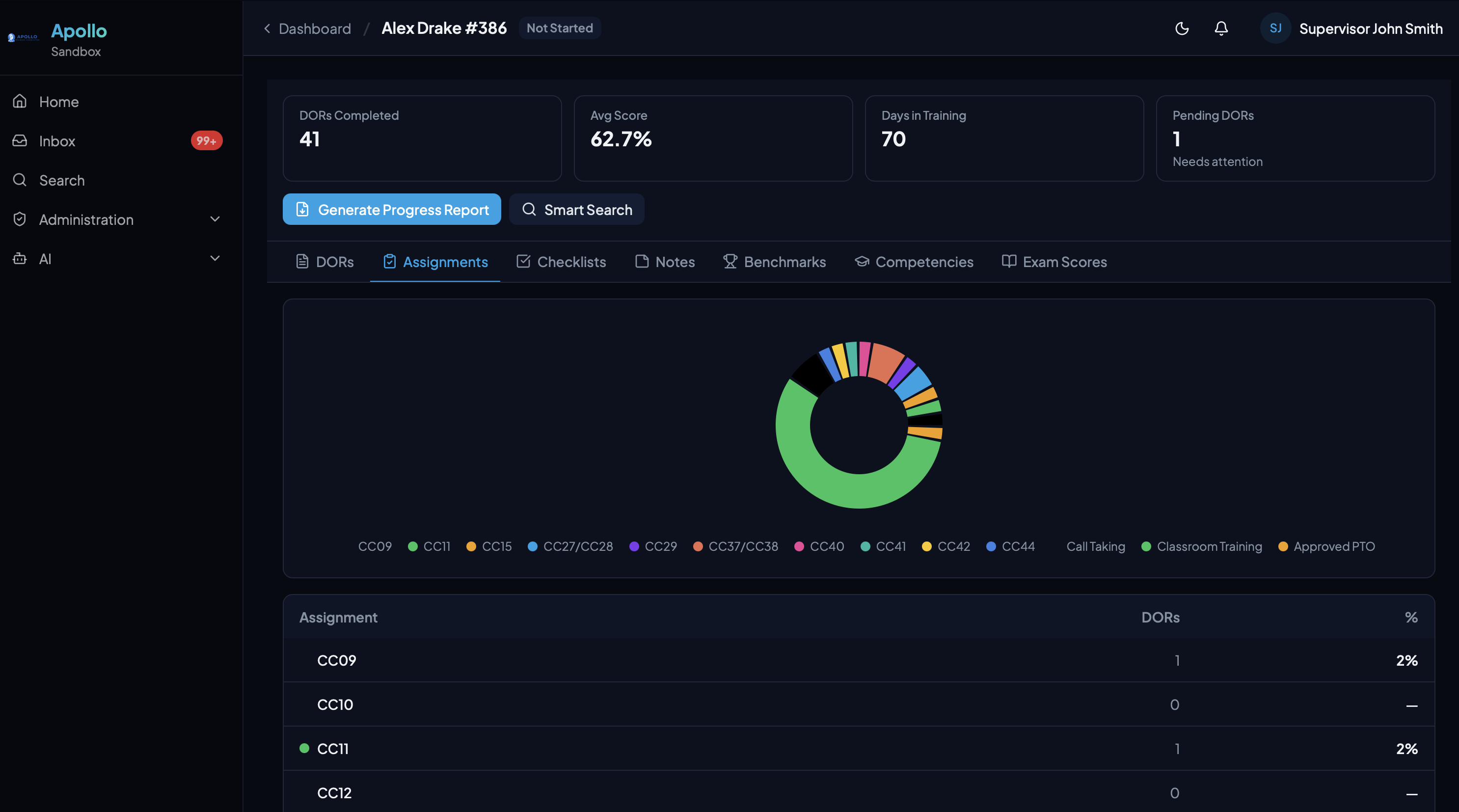
Visual breakdown of call types and assignments with automatic cross-referencing from DORs.
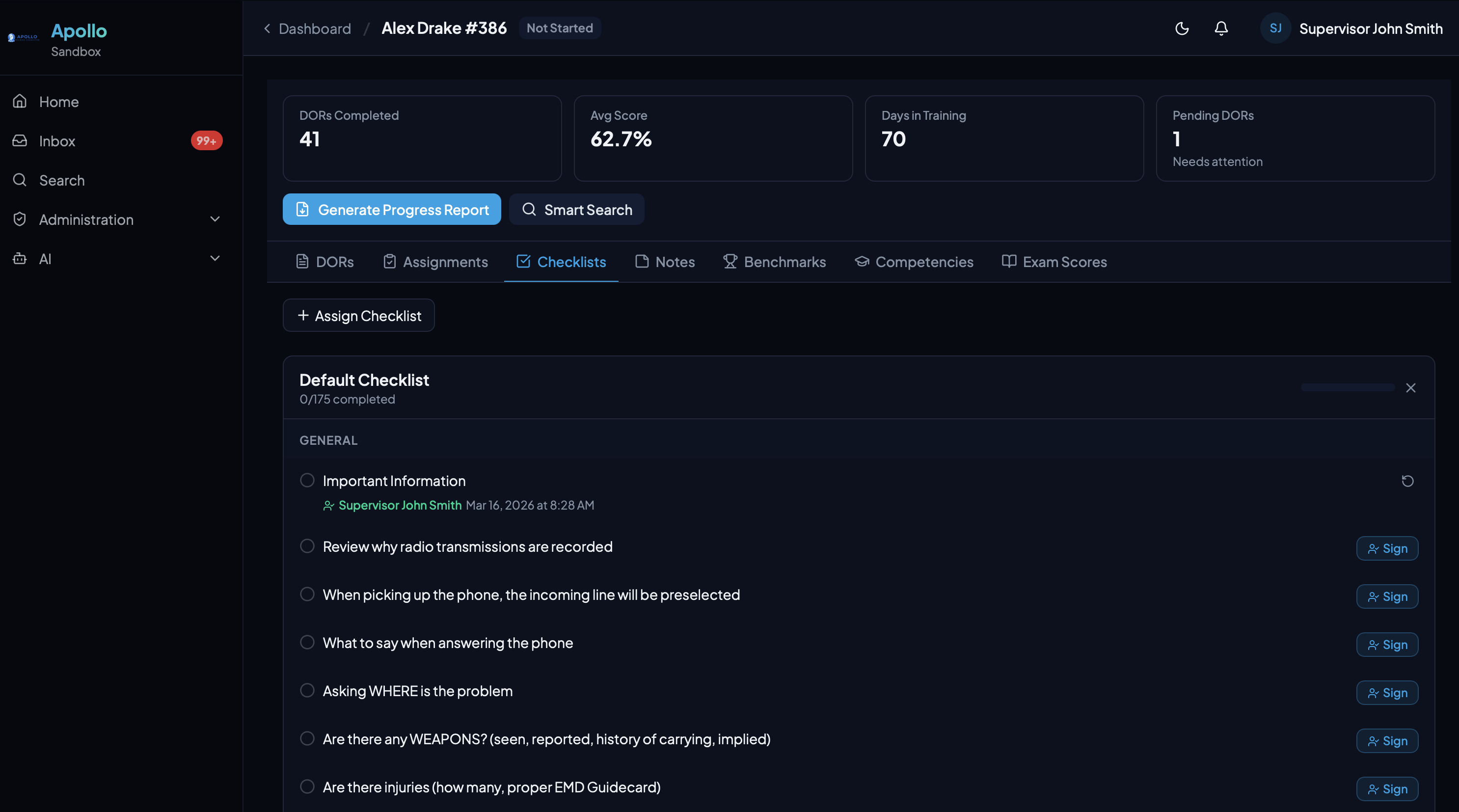
Training Checklists
Organized by category with per-topic sign-off tracking for orientation and procedural items.
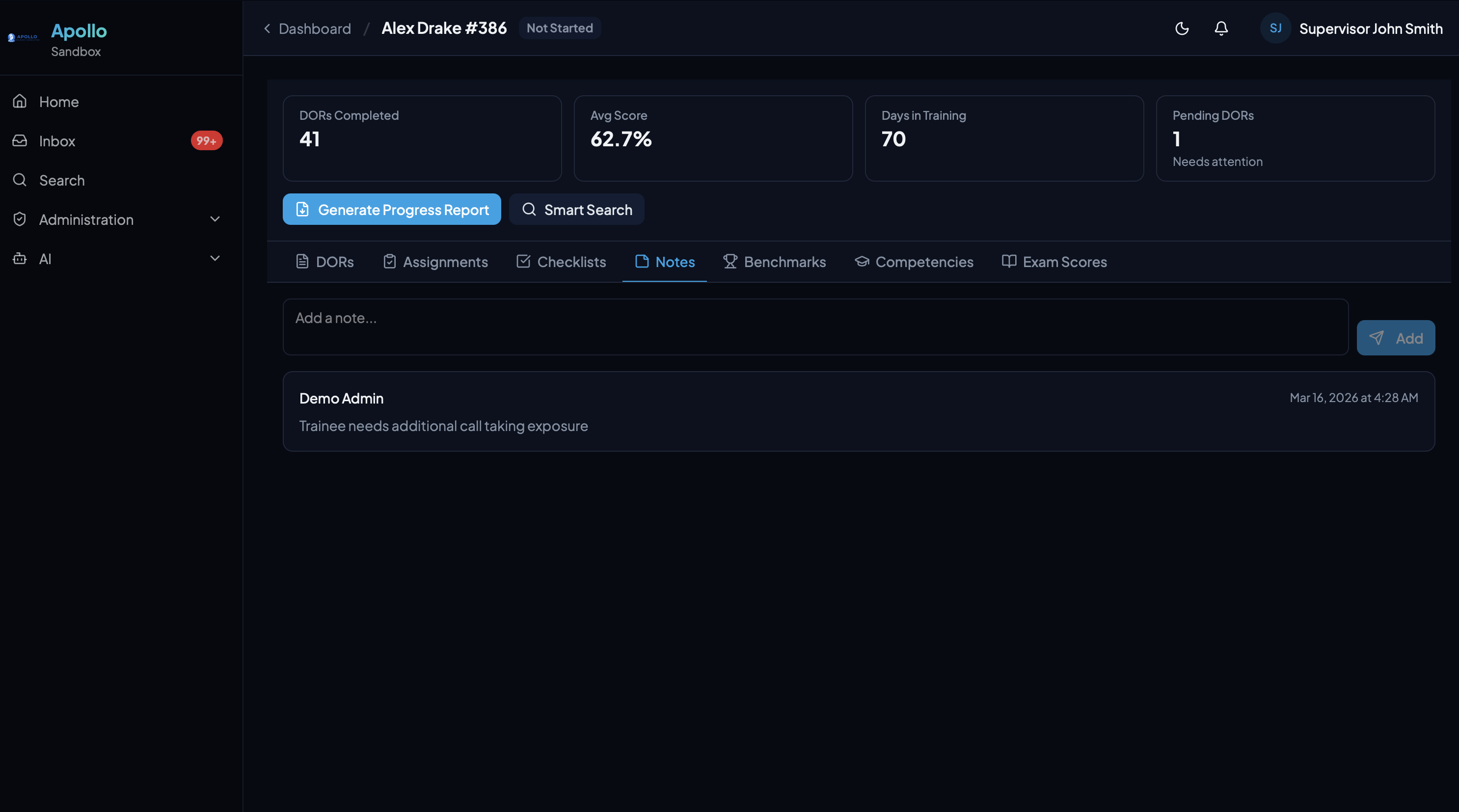
Notes
Free-form notes for supervisors to track observations, follow-ups, and context outside of formal DORs.
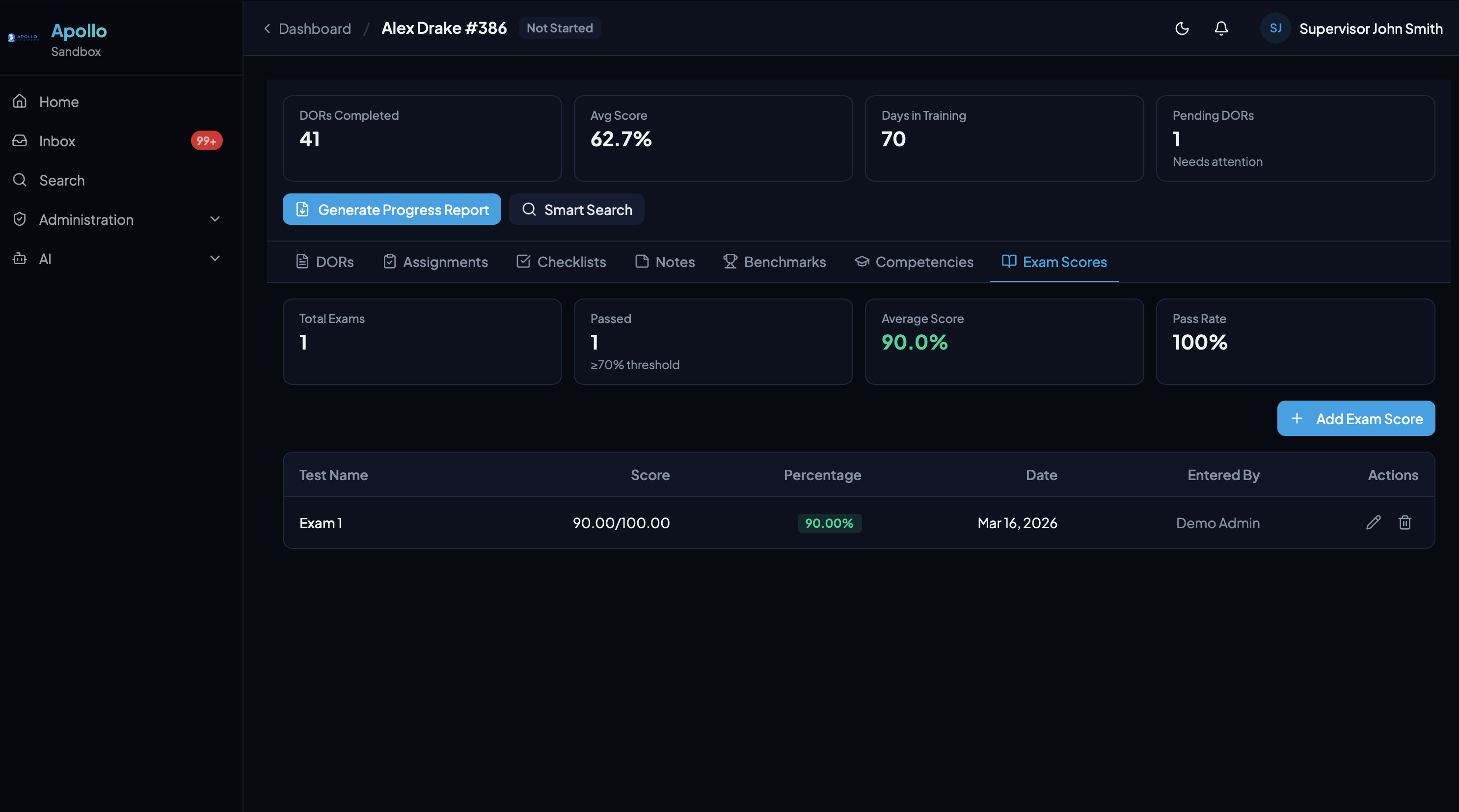
Exam Scores
Manual entry or LMS integration. Pass/fail tracking with average scores and pass rate at a glance.
DOR Workflow
From Creation to Signature
DORs flow through a complete lifecycle — create, score, narrate, sign, and review — with built-in accountability at every step.
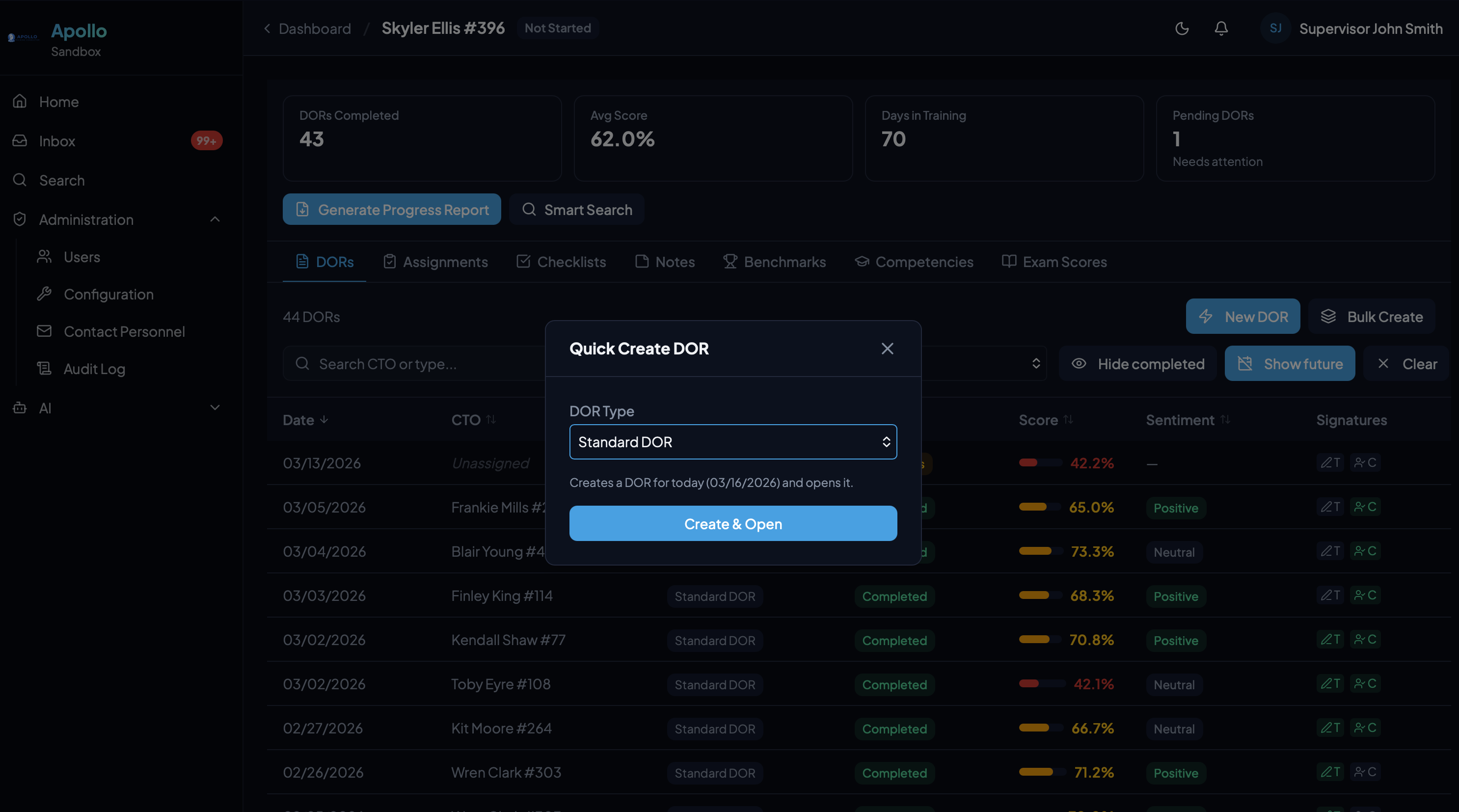
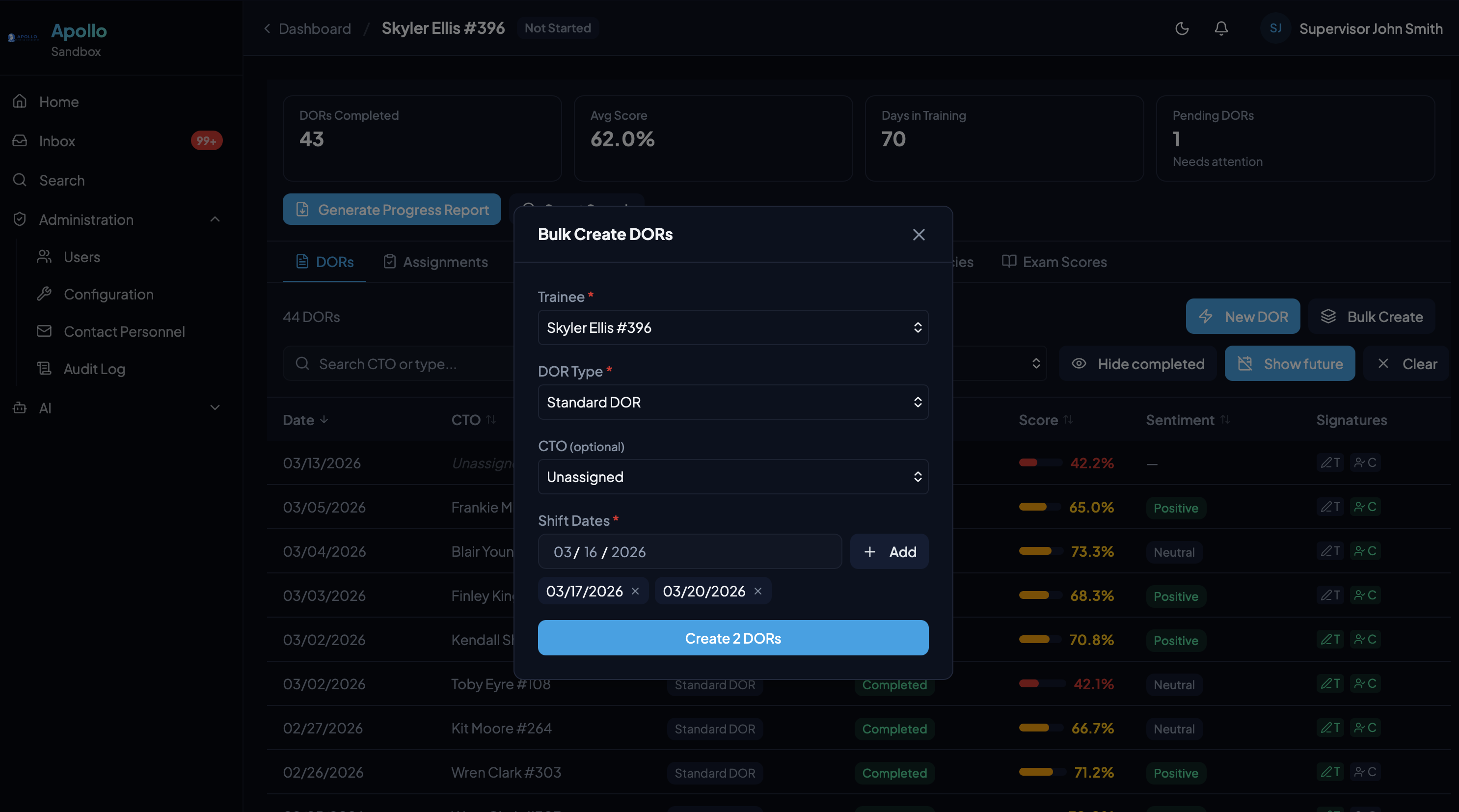
Quick or Bulk Creation
Create a single DOR instantly or batch-create multiple DORs across shift dates. Select the trainee, DOR type, and CTO — Apollo handles the rest.
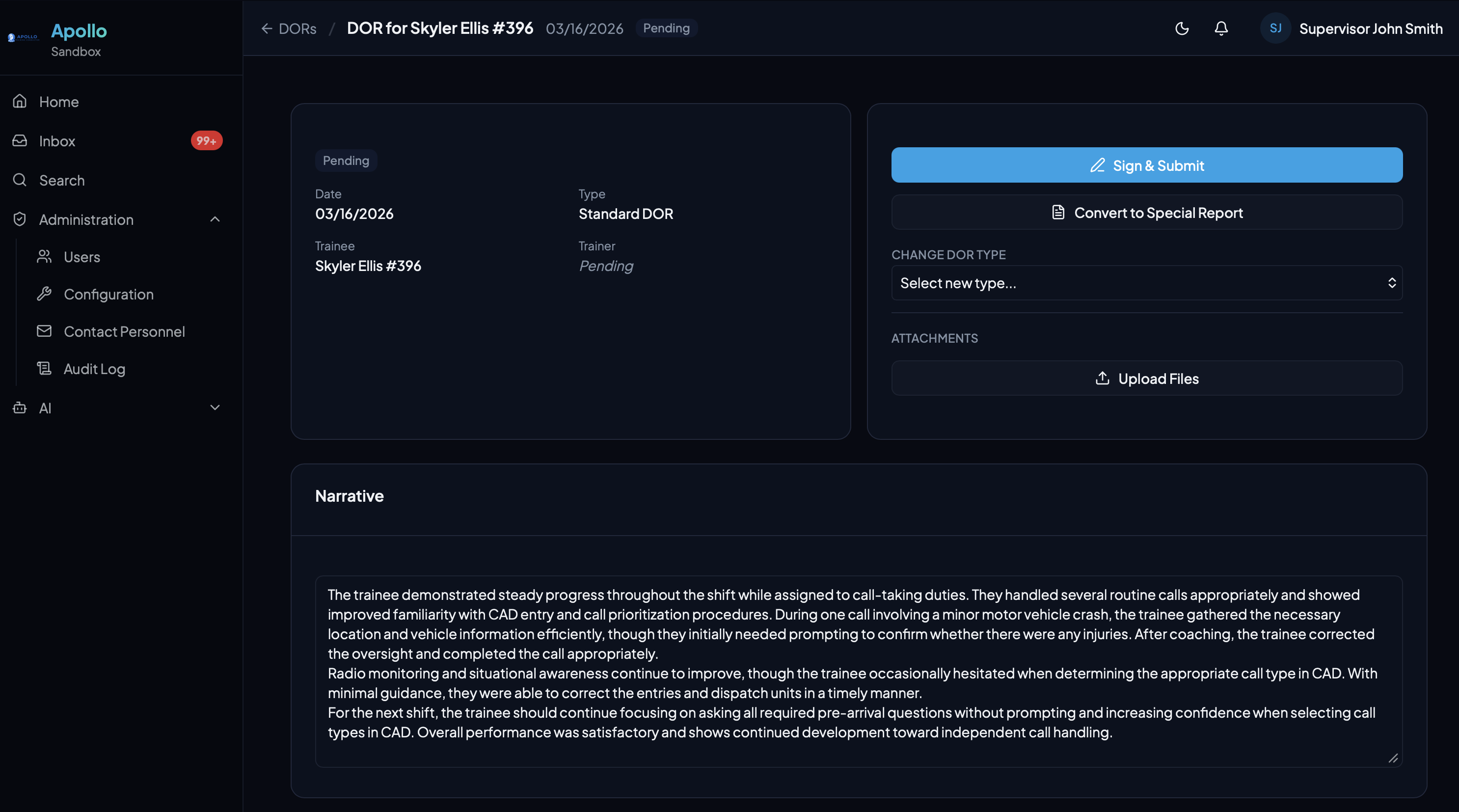
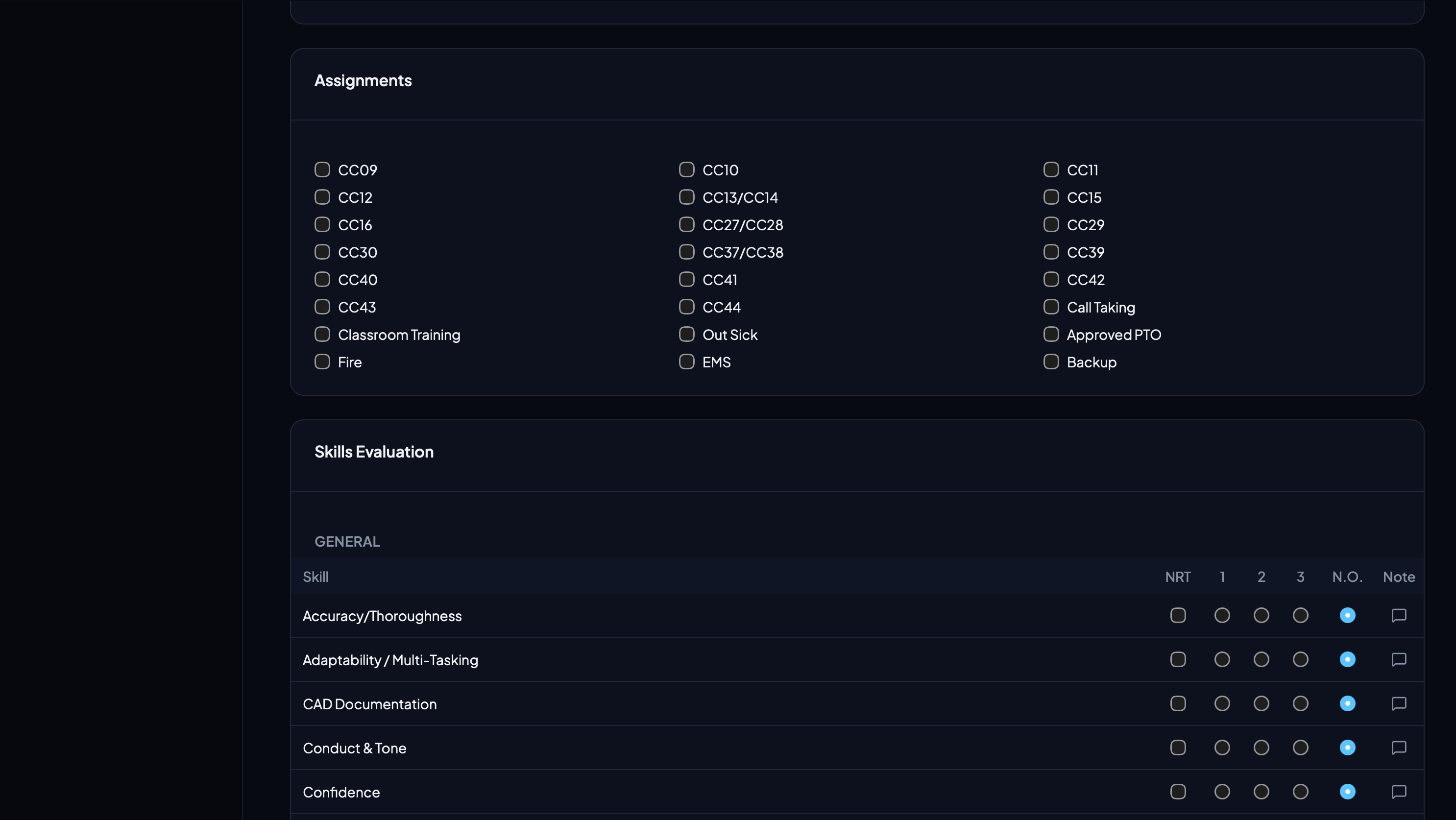
Detailed Documentation
Each DOR captures a rich narrative, assignment checkboxes, and skill-level scoring across configurable categories. Everything a CTO needs to document a shift.
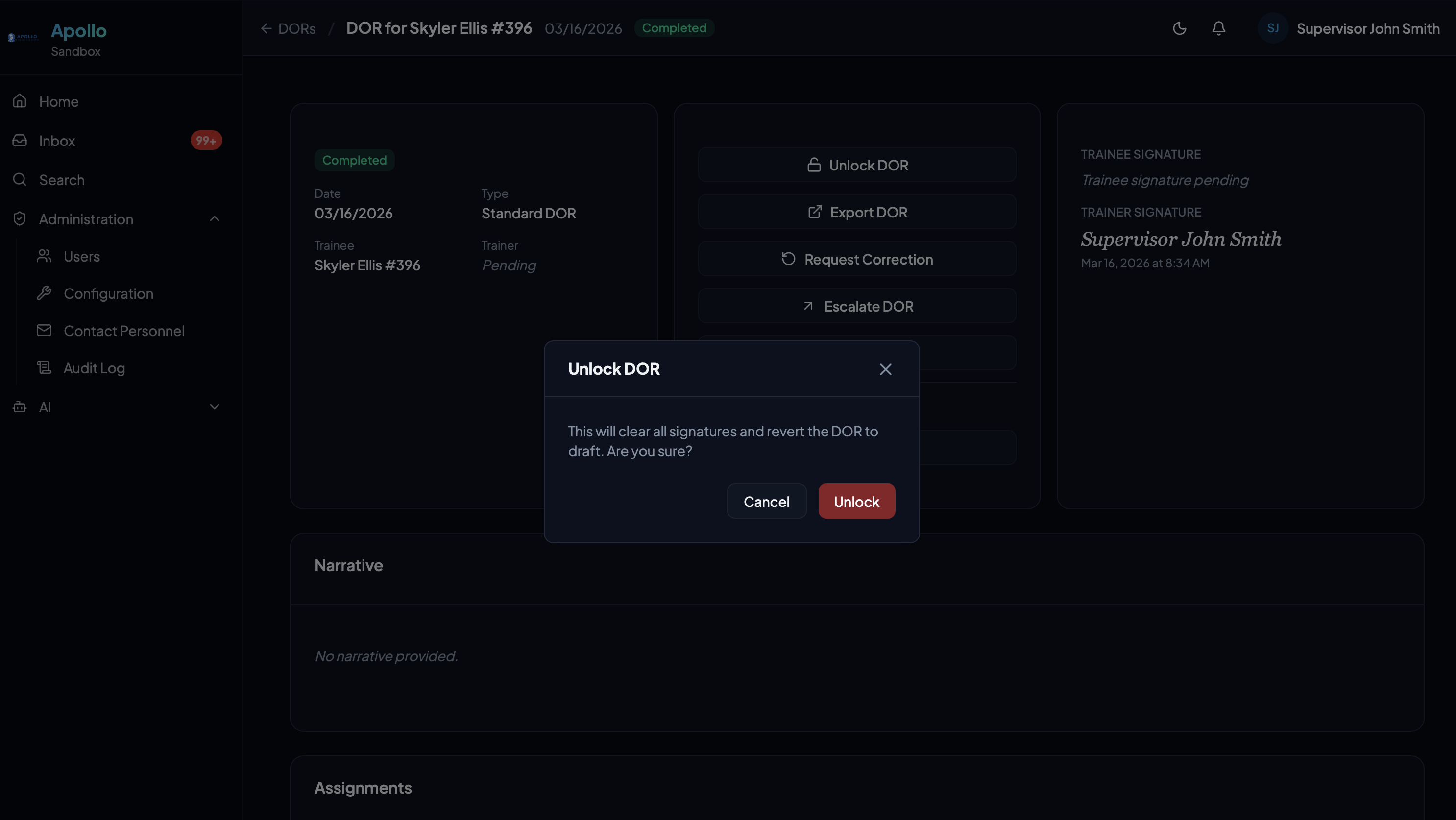
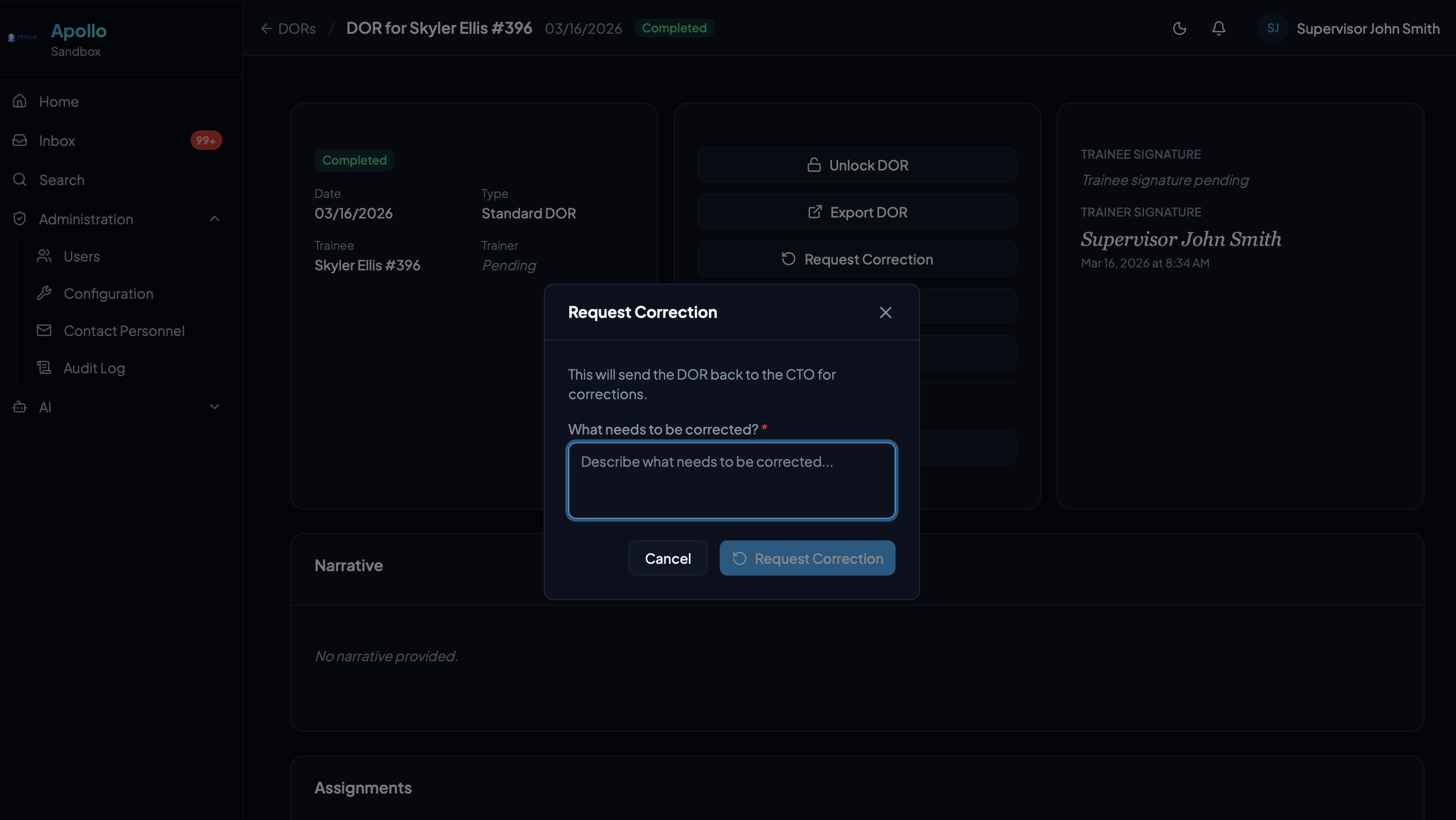
Review & Corrections
Completed DORs can be unlocked for edits or sent back for corrections with a reason. The full chain of custody is preserved in the audit log.
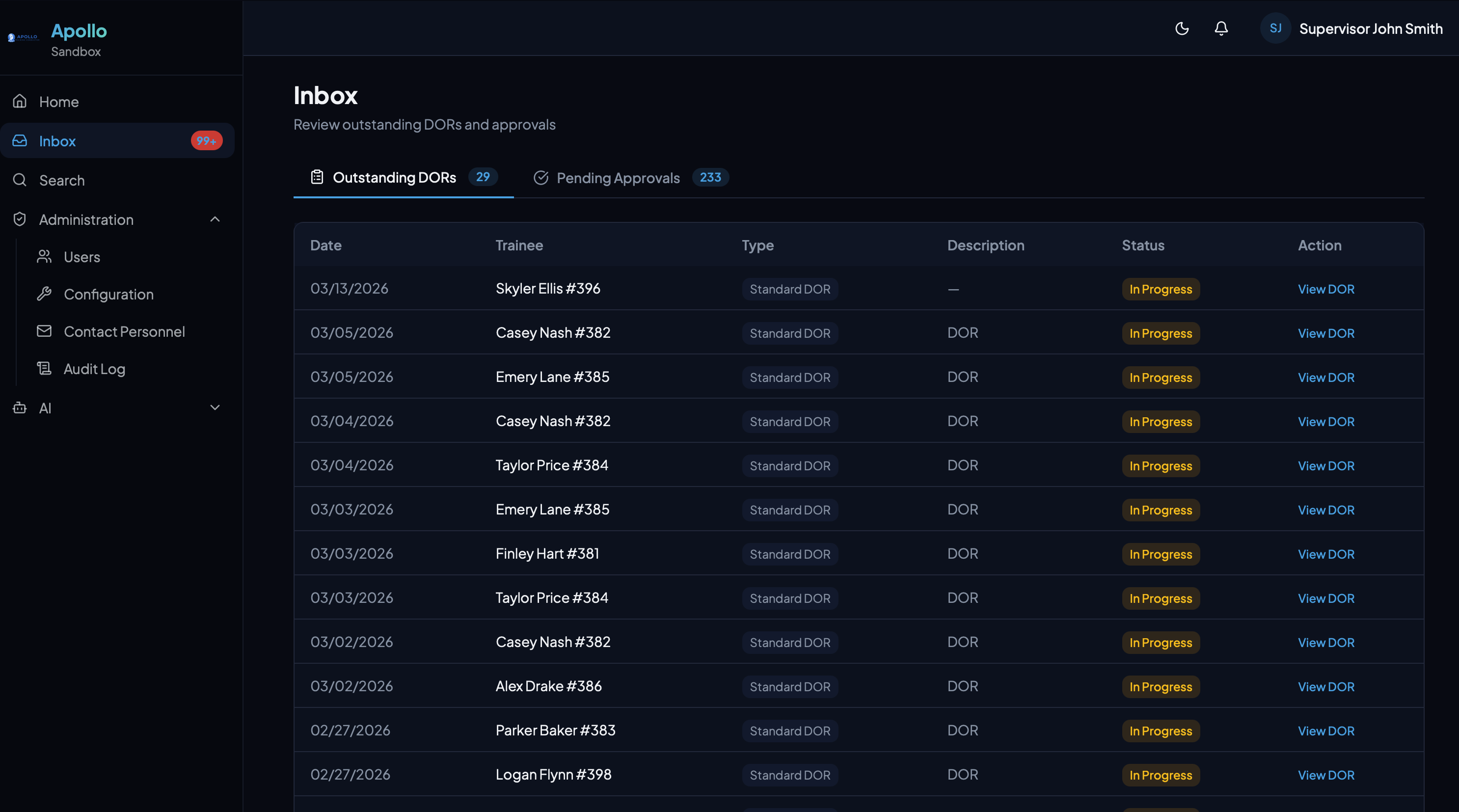
Unified Inbox
Outstanding DORs and pending approvals in one view. Nothing gets lost — supervisors see exactly what needs their attention.
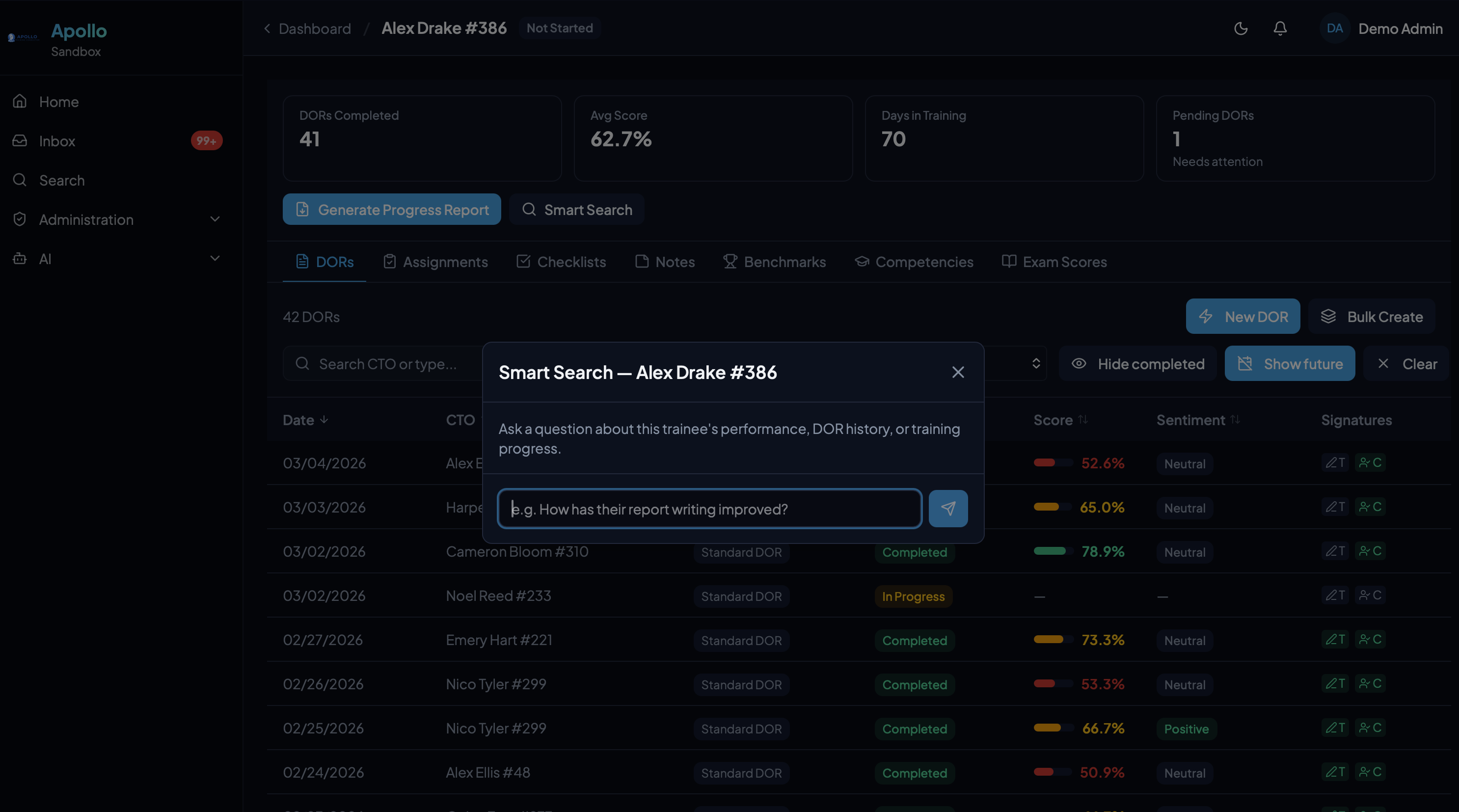
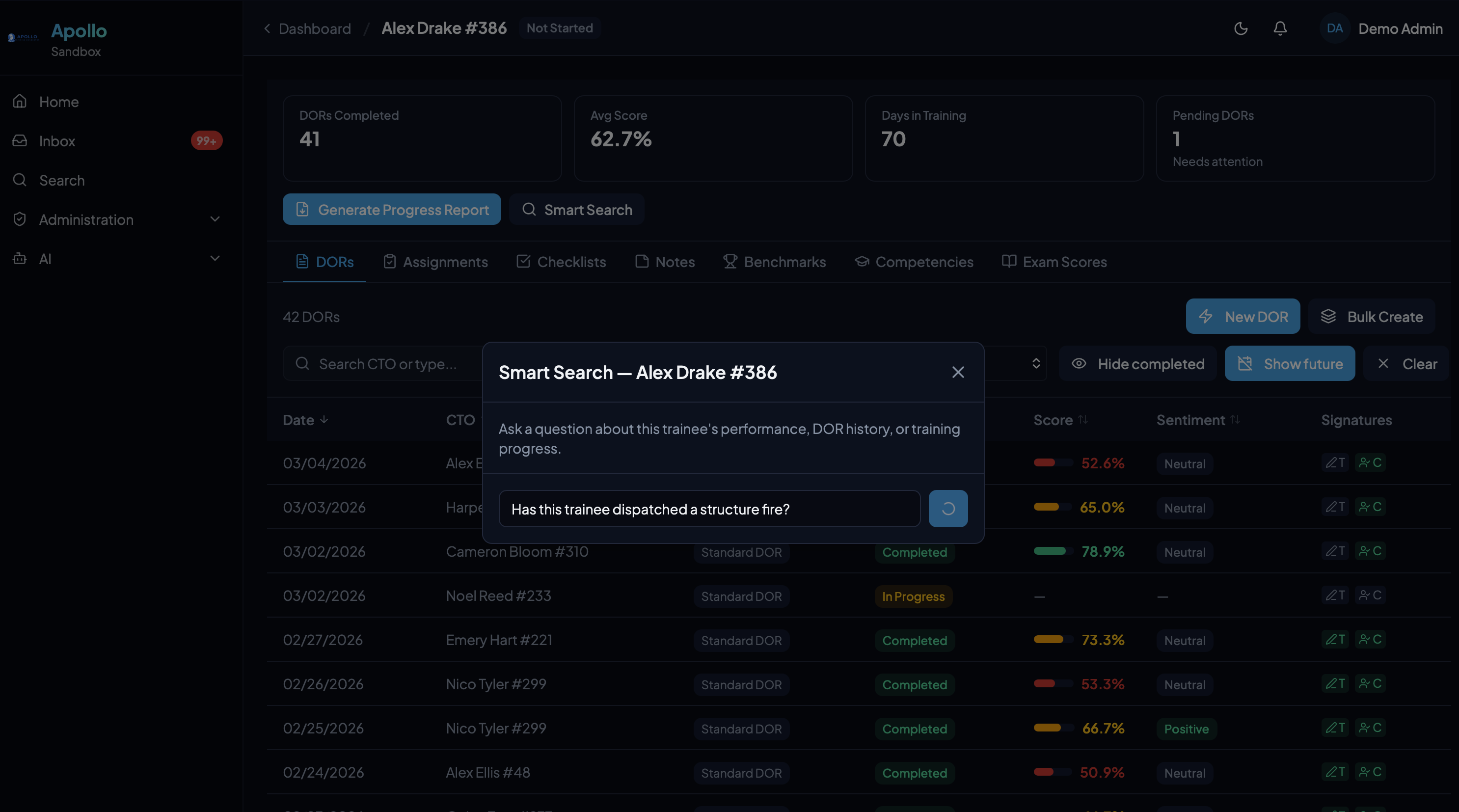
AI Features
Intelligence Built Into Every Workflow
Private AI models dedicated to your agency. Ask questions, generate reports, and surface patterns — all grounded in your actual training data.
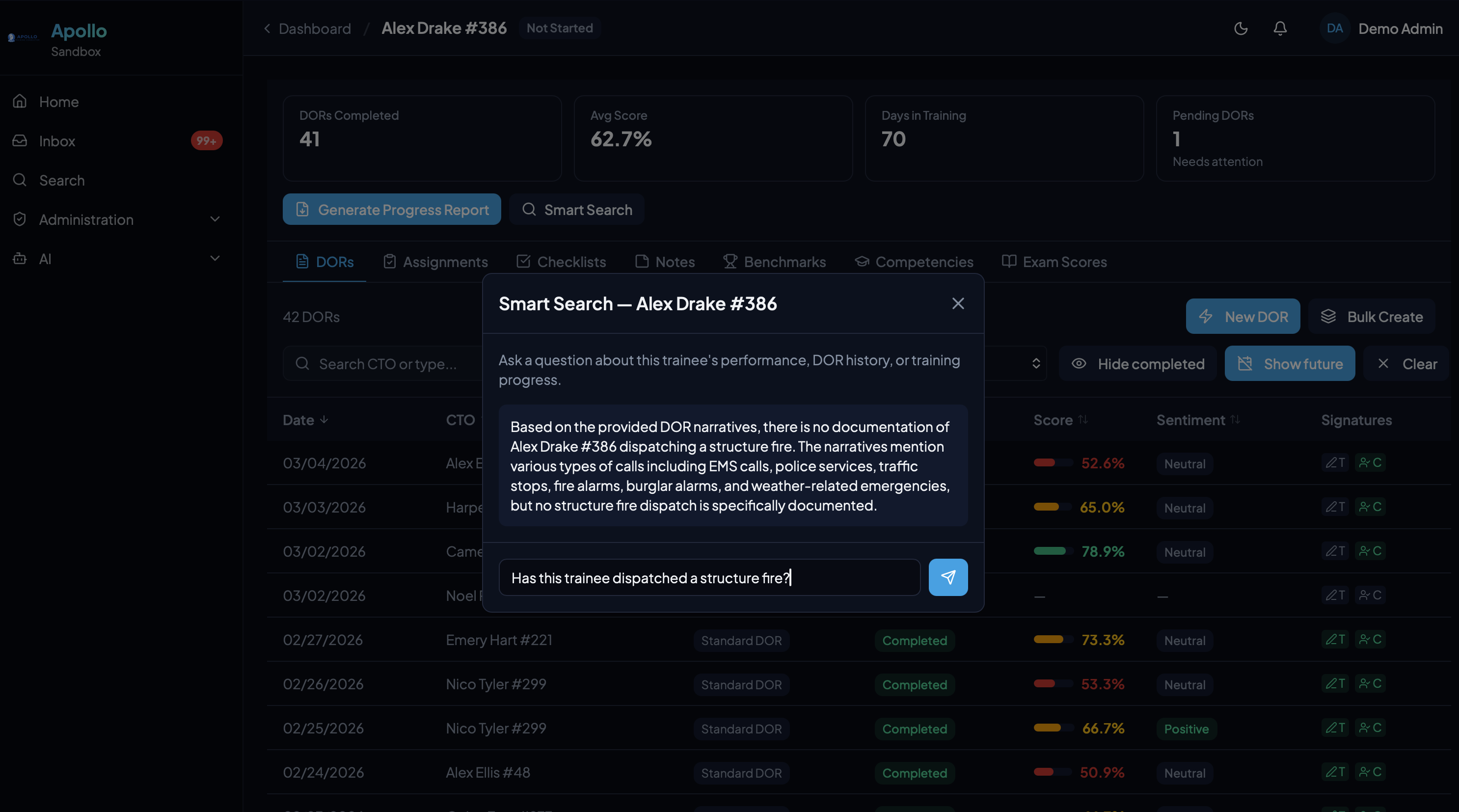
Benchmark Evaluations
Narrative-driven performance evaluations at key milestones. Multi-topic structure with draft-to-completed workflow and dual digital signatures.
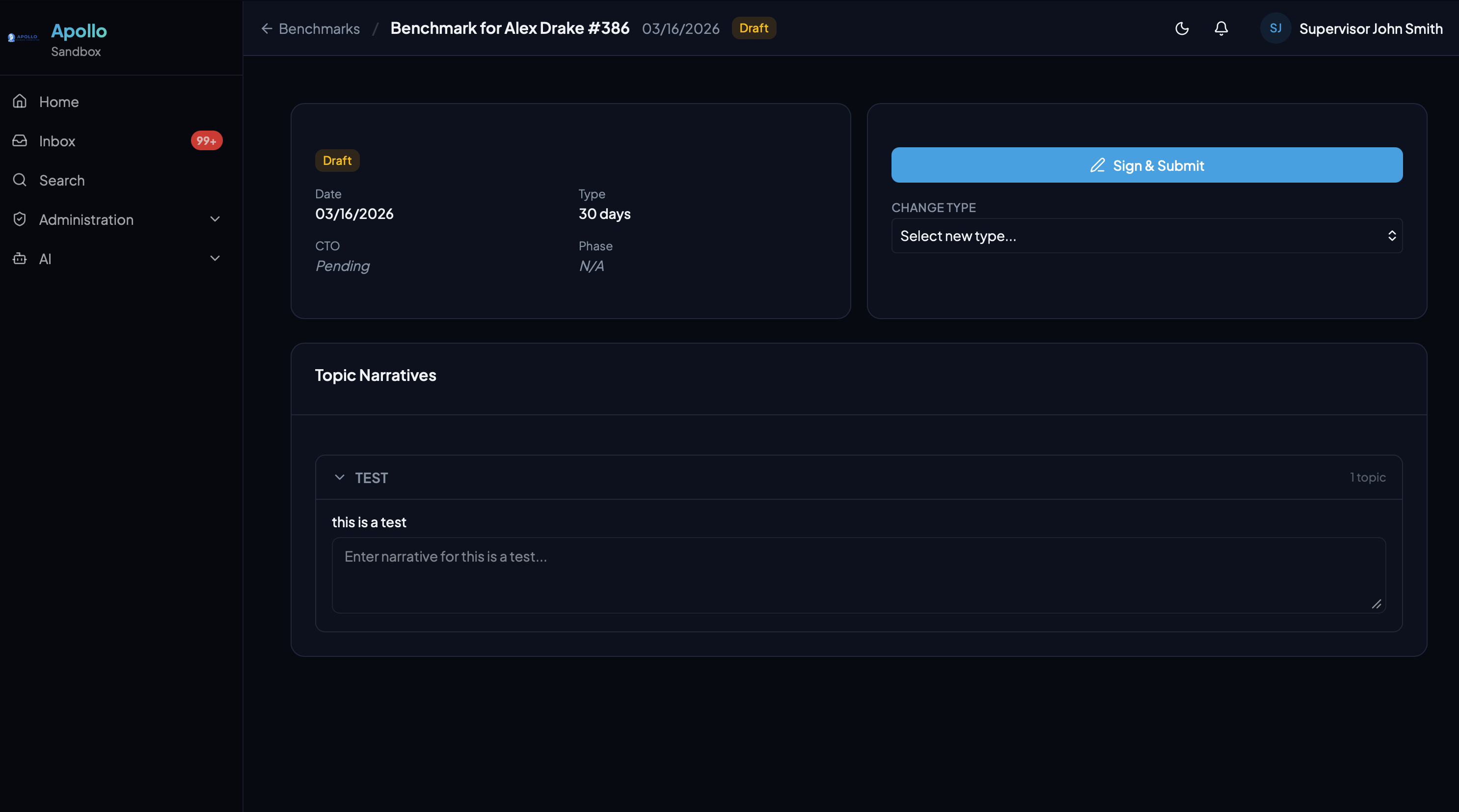
AI Compliance Reporting
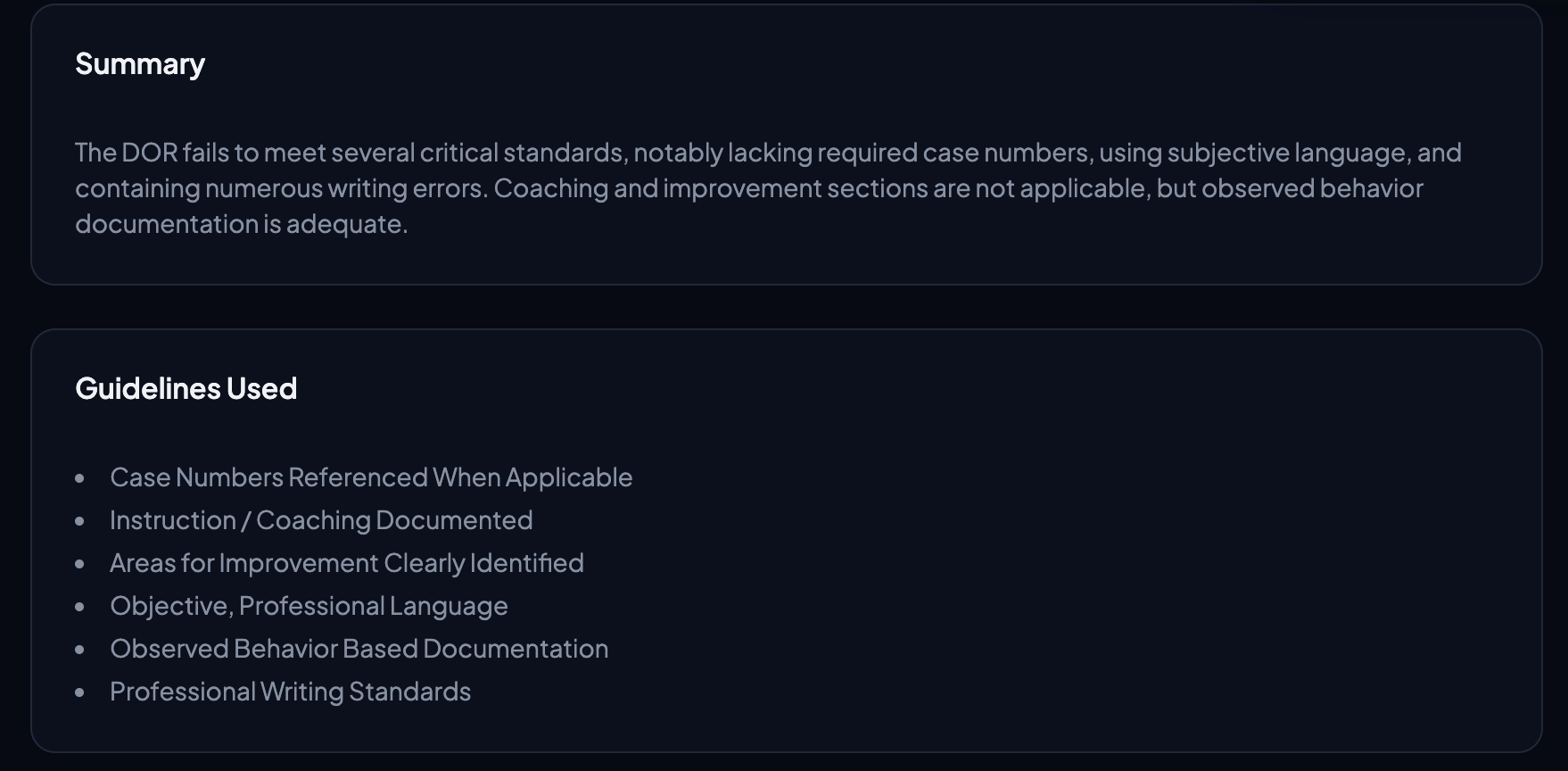
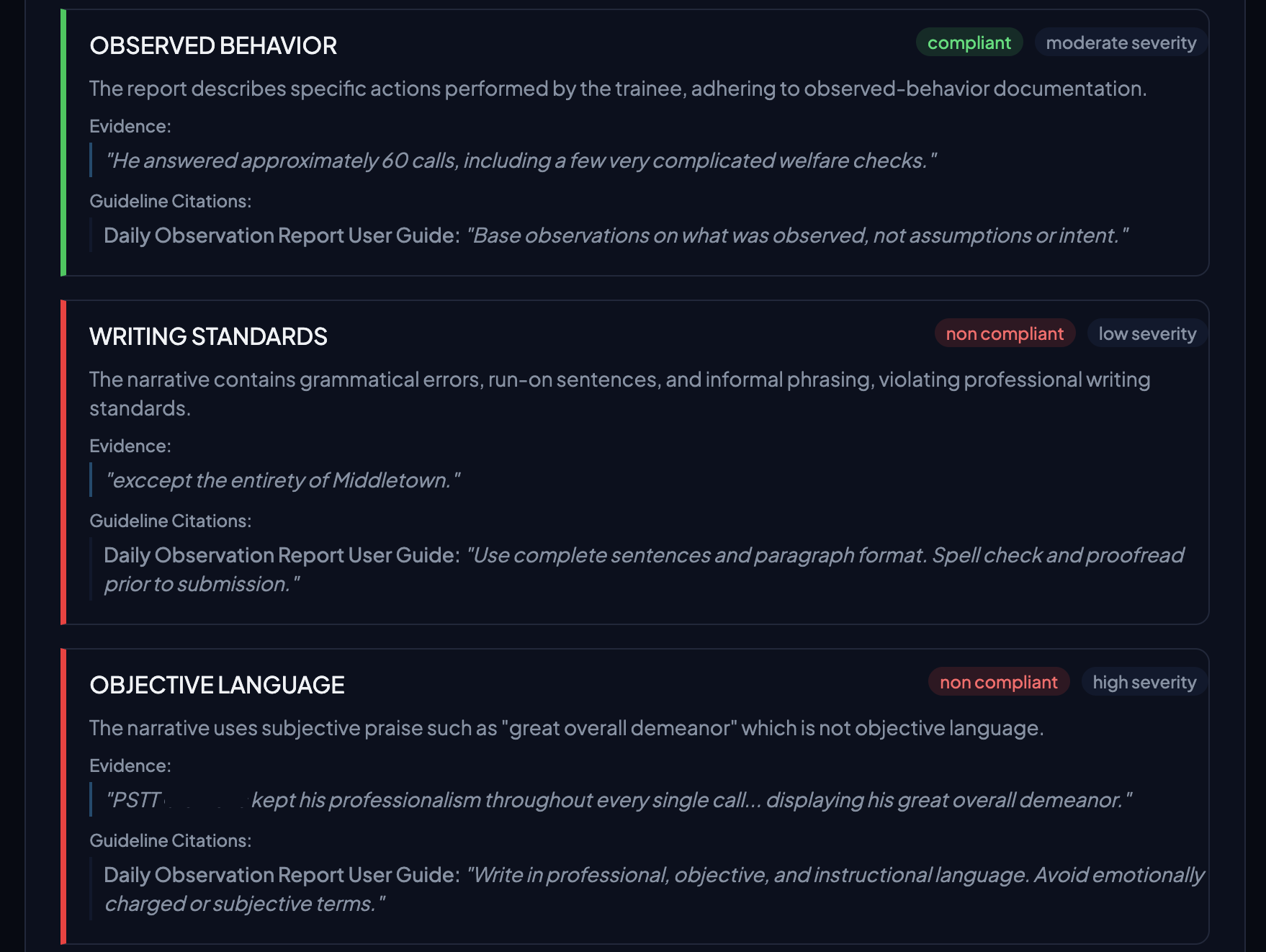
An AI agent evaluates every DOR submission against your agency's documentation guidelines — checking for objective language, professional writing standards, observed behavior documentation, and more. Each evaluation produces a compliance score, a summary, and per-guideline results with direct evidence pulled from the narrative.
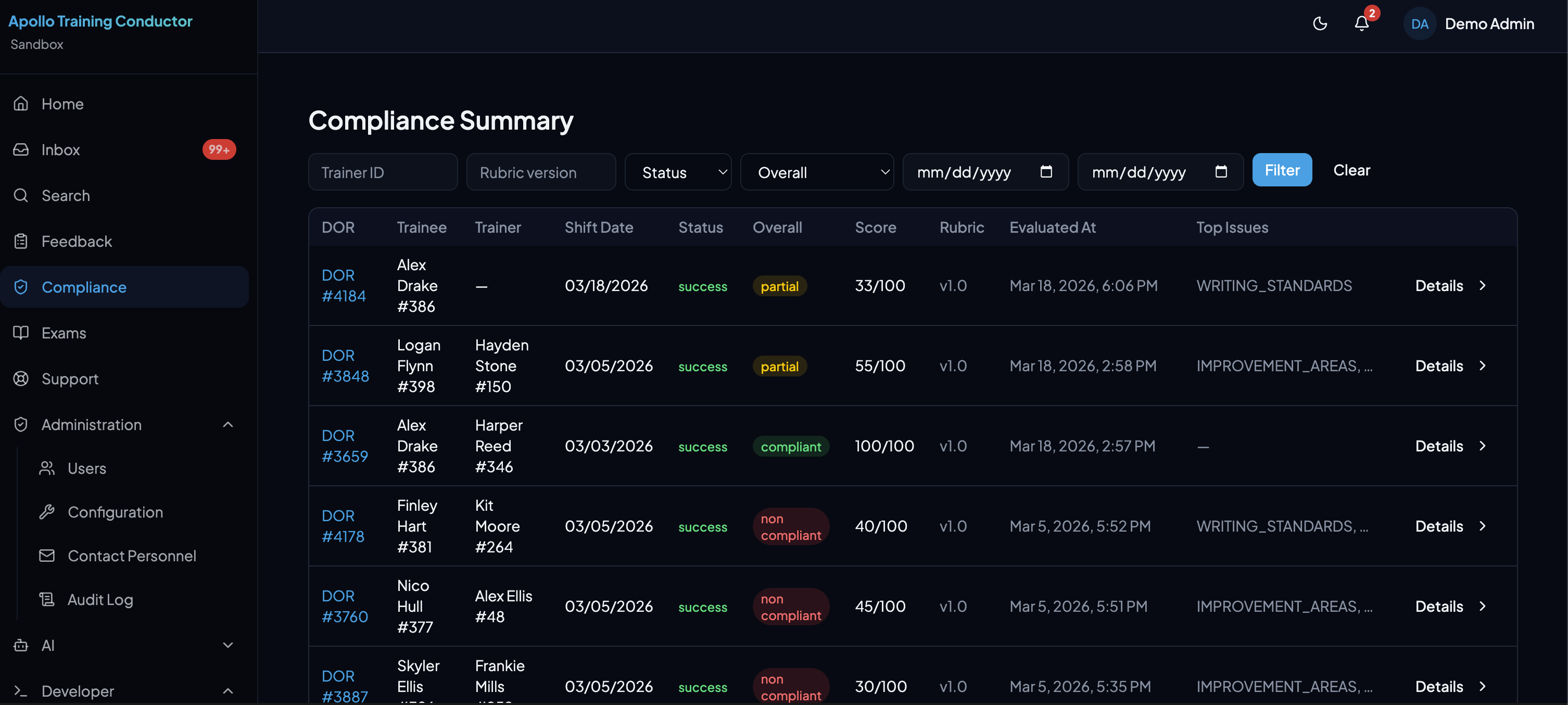
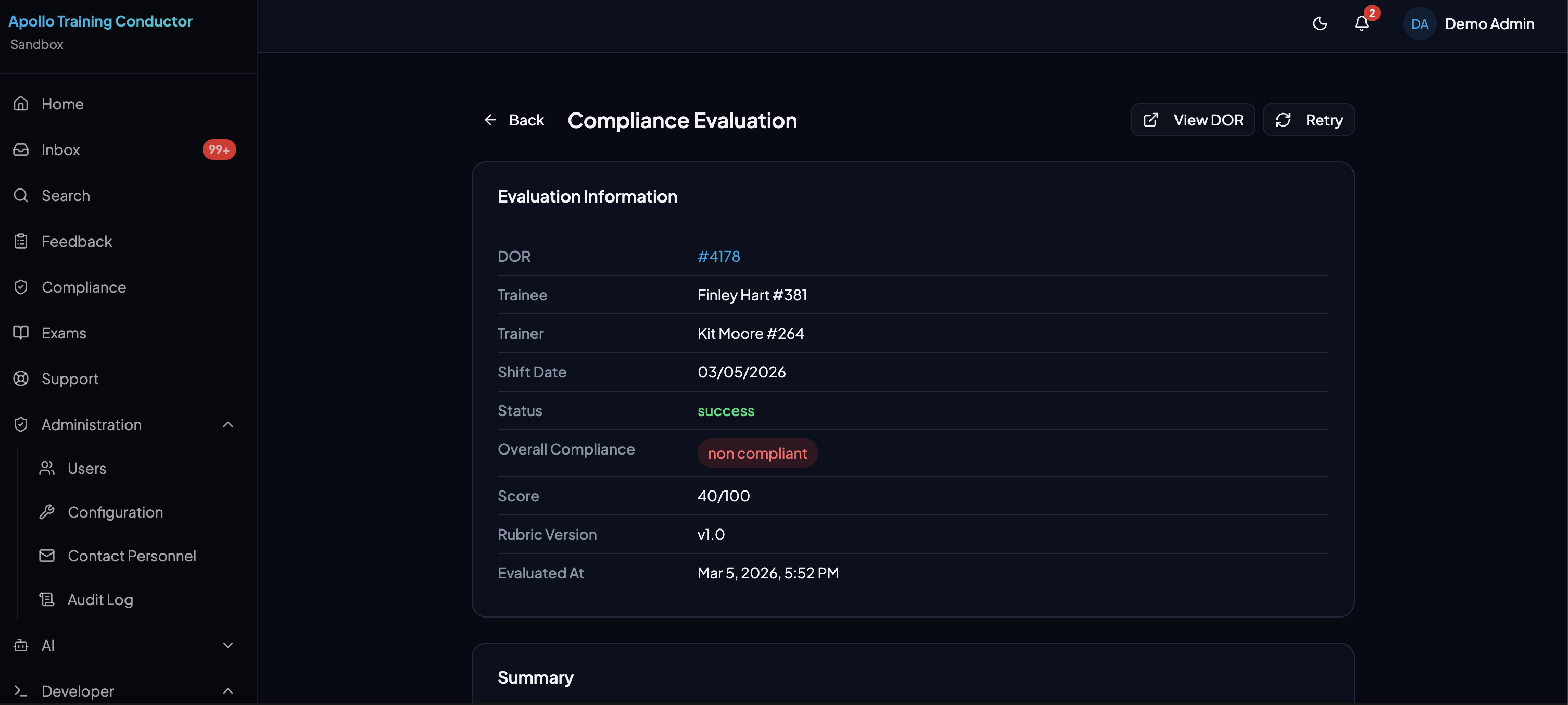
Evidence-Based Results
Each guideline is evaluated individually with a compliant or non-compliant determination and a severity level. The AI cites specific quotes from the DOR narrative as evidence and references the exact guideline citation — so reviewers can see exactly what was flagged and why.
Configurable Criteria
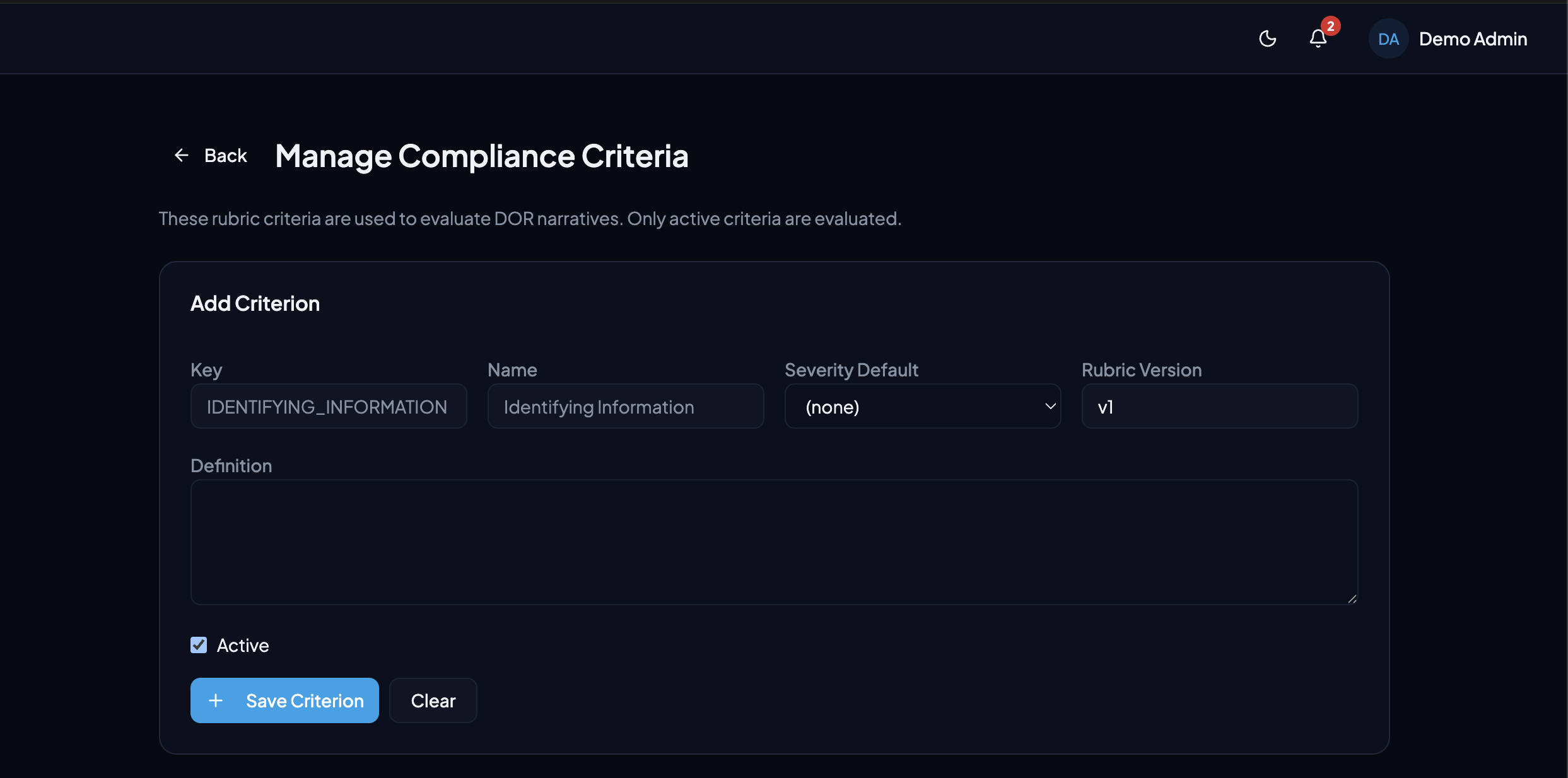
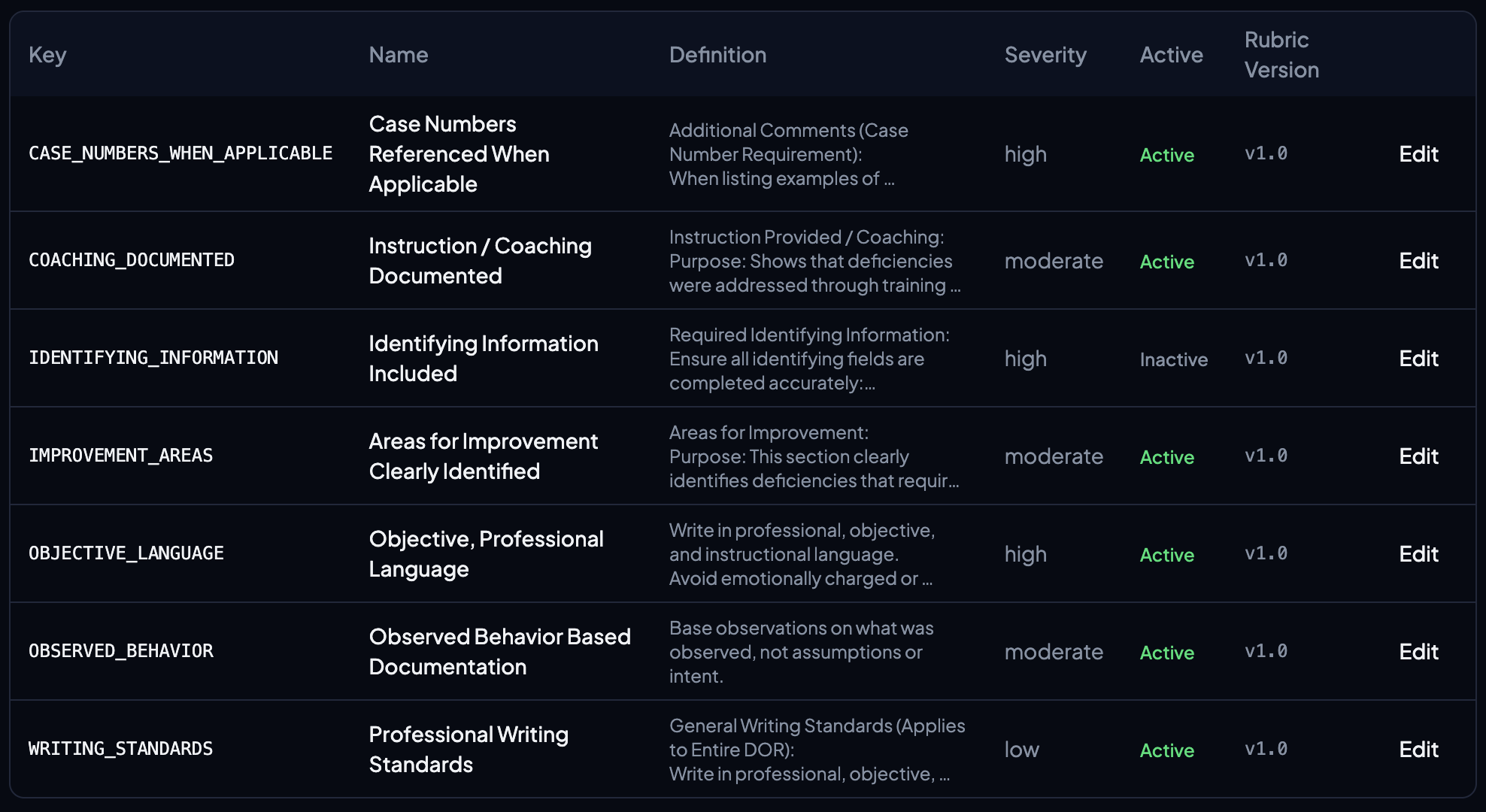
Define your own compliance criteria with custom keys, names, definitions, and default severity levels. Activate or deactivate individual criteria at any time, and version your rubric so evaluations are always tied to the standards that were in effect when they ran.
Feedback
Structured Feedback, Built-In Privacy
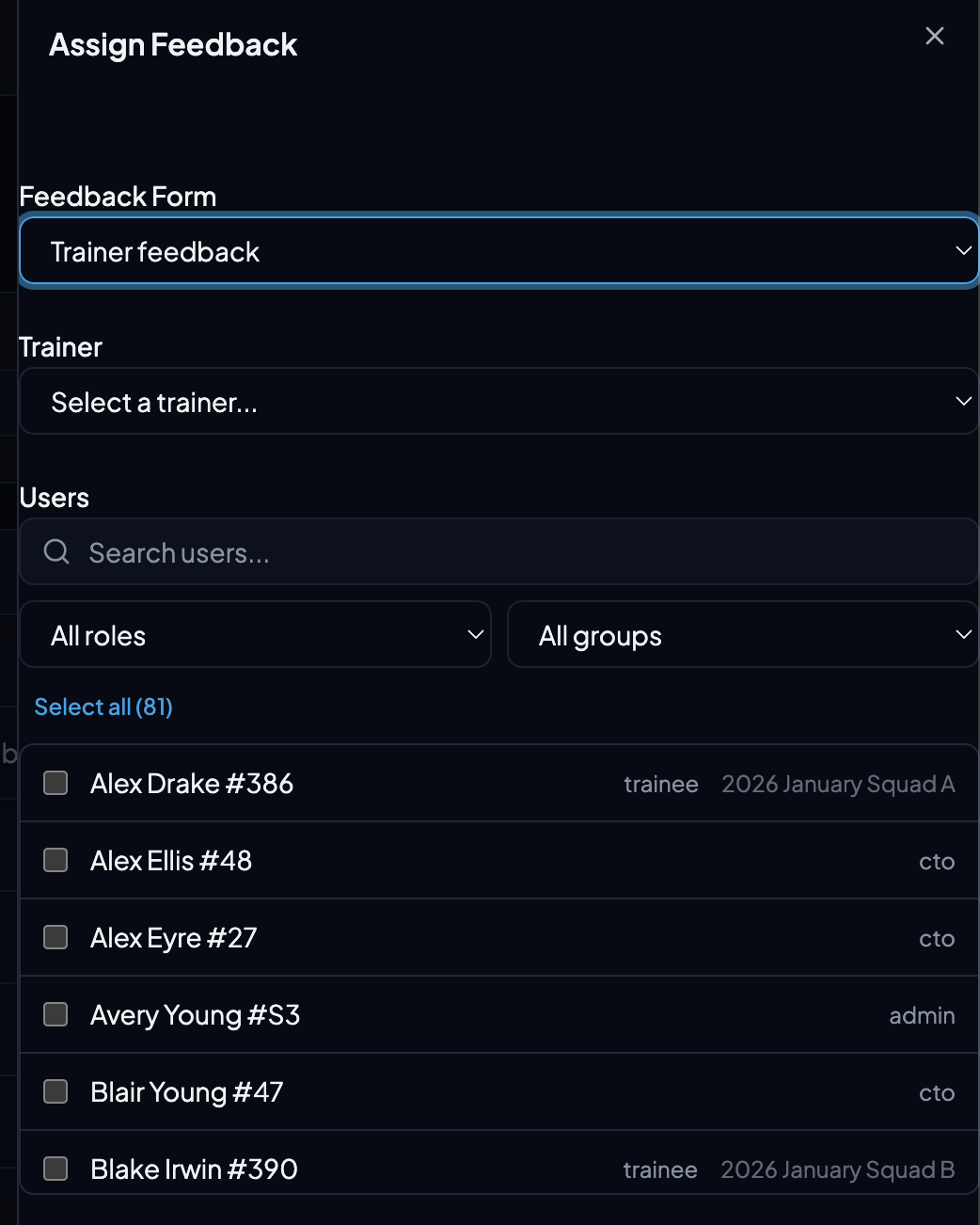
Assign customizable feedback forms to trainees — for general topics or specific trainers. Submissions about a trainer are hidden from that trainer by default until an administrator explicitly releases them.
Assign & Track Feedback
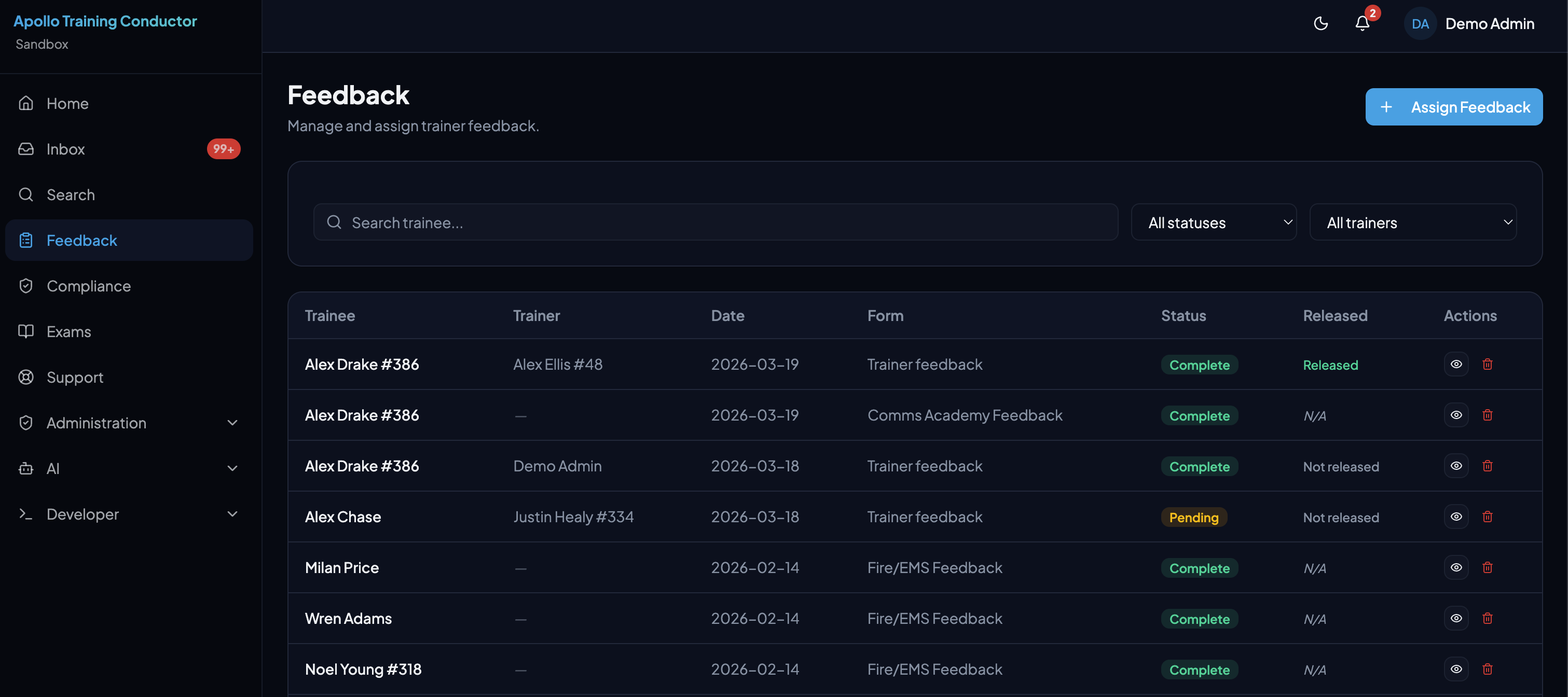
Assign feedback forms to individual trainees or entire groups with a few clicks. Choose the form, optionally select a trainer, and pick your recipients. The feedback list gives administrators a clear view of every assignment — status, release state, and completion at a glance.
Released vs. Not Released
Completed feedback about a trainer stays private by default — visible only to administrators. When a submission is ready to share, an admin can release it, making it visible to the trainer. This gives coordinators full control over what feedback reaches trainers and when, protecting honest responses and ensuring feedback is reviewed in context before it's shared.
Customizable Forms & Responses
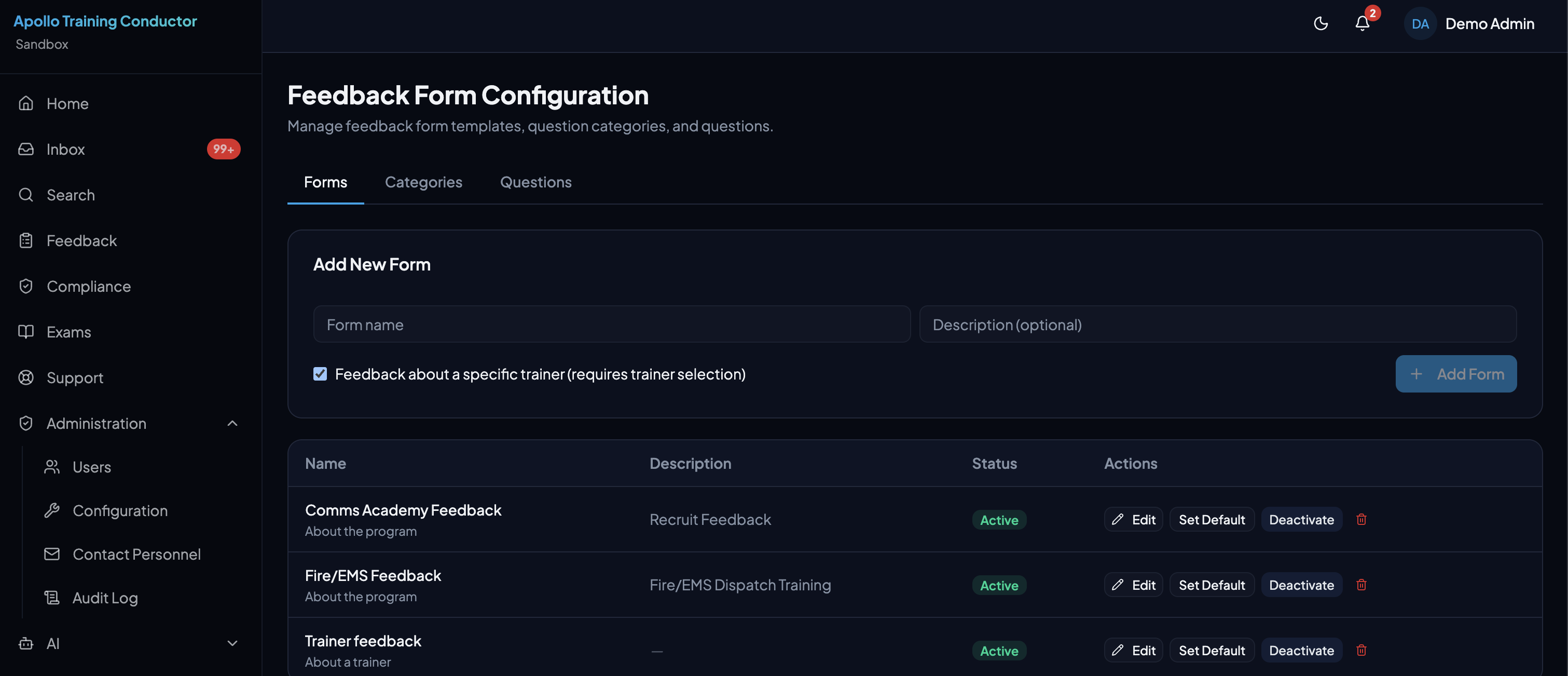
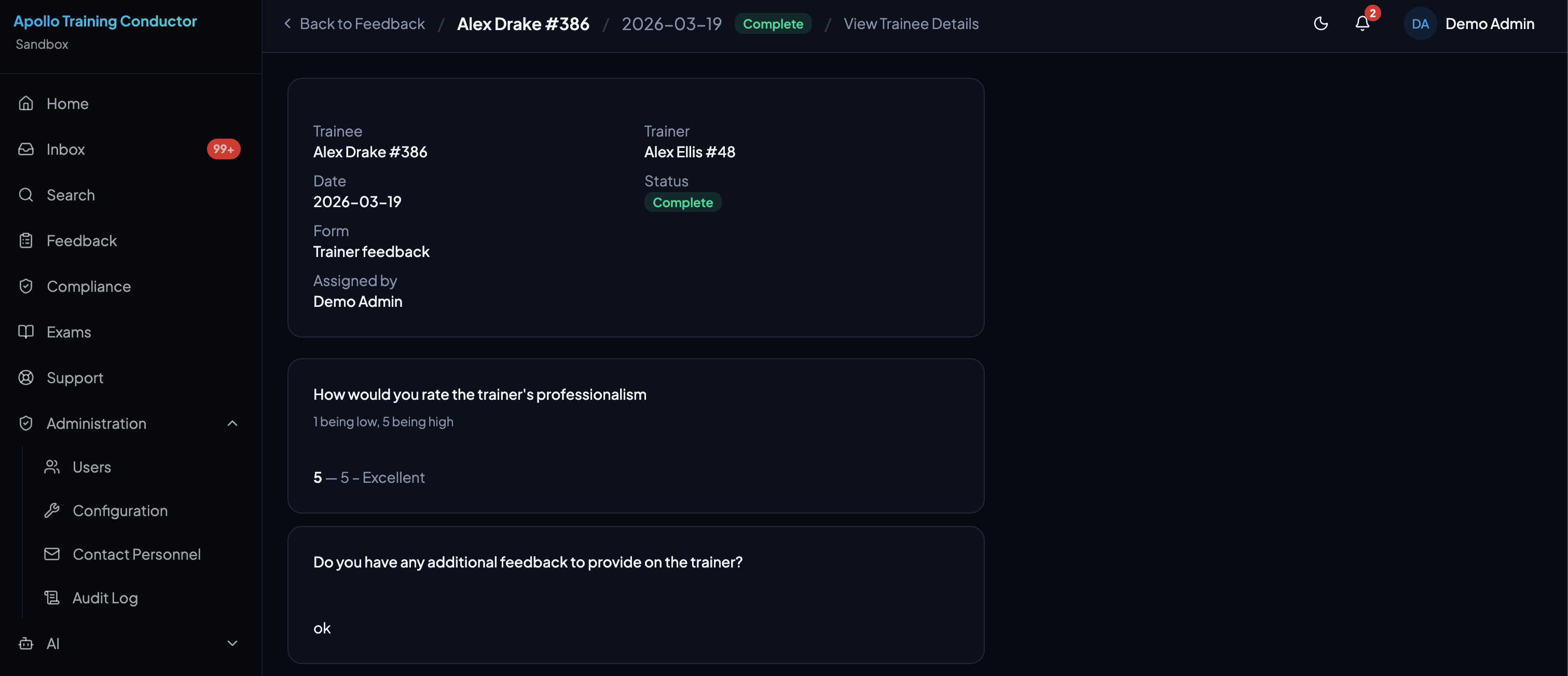
Build feedback forms with your own questions, categories, and descriptions. Forms can target general program topics or require a trainer selection. Completed submissions display all responses in a clean, reviewable format with trainee, trainer, and form details at the top.
Administration
Full Control, Complete Transparency
Configure every aspect of your training program, communicate with your team, and maintain a complete audit trail of every action.
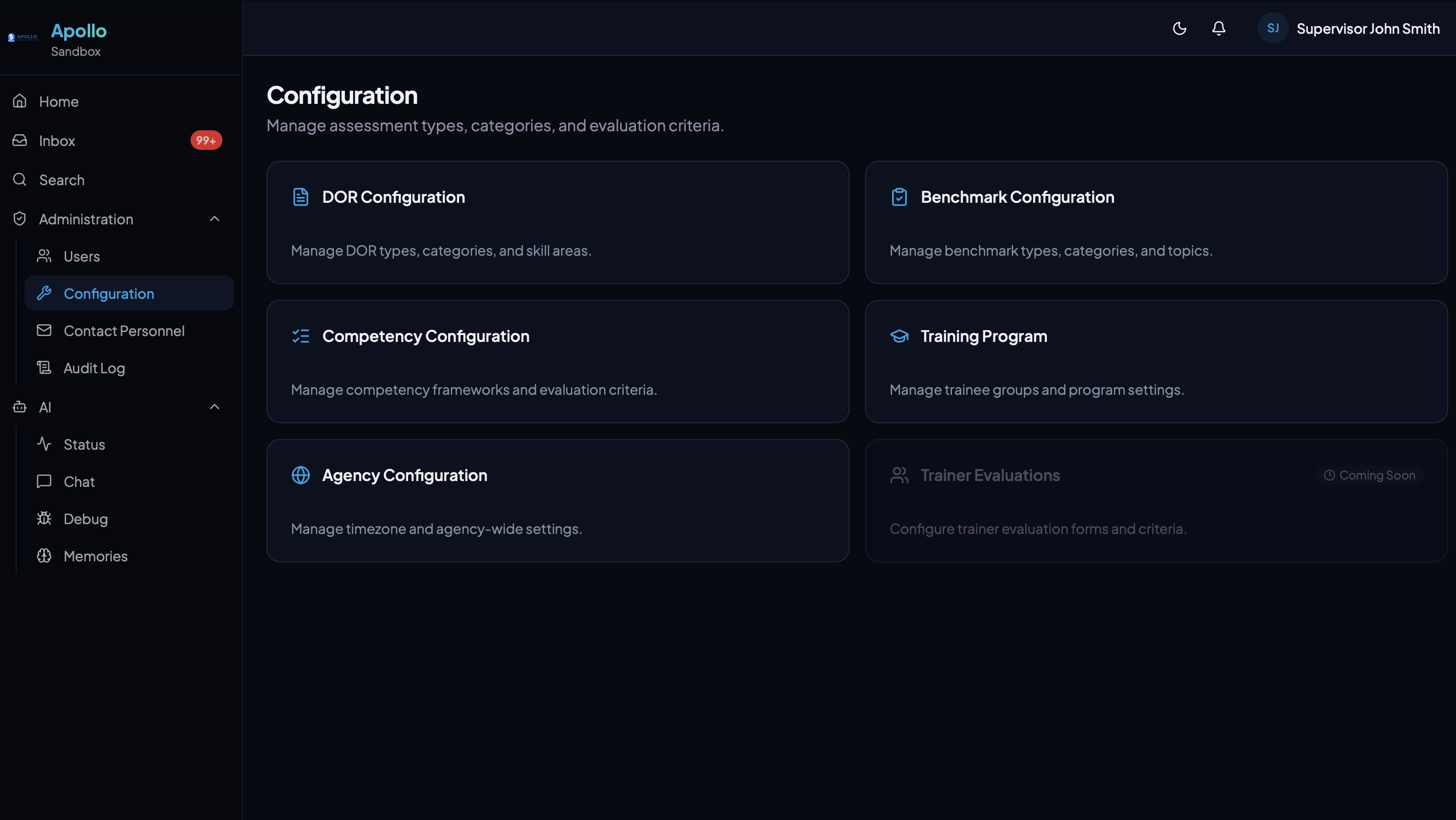
Configuration
Customize scoring categories, benchmark types, competency tasks, phases, and more — no developer needed.
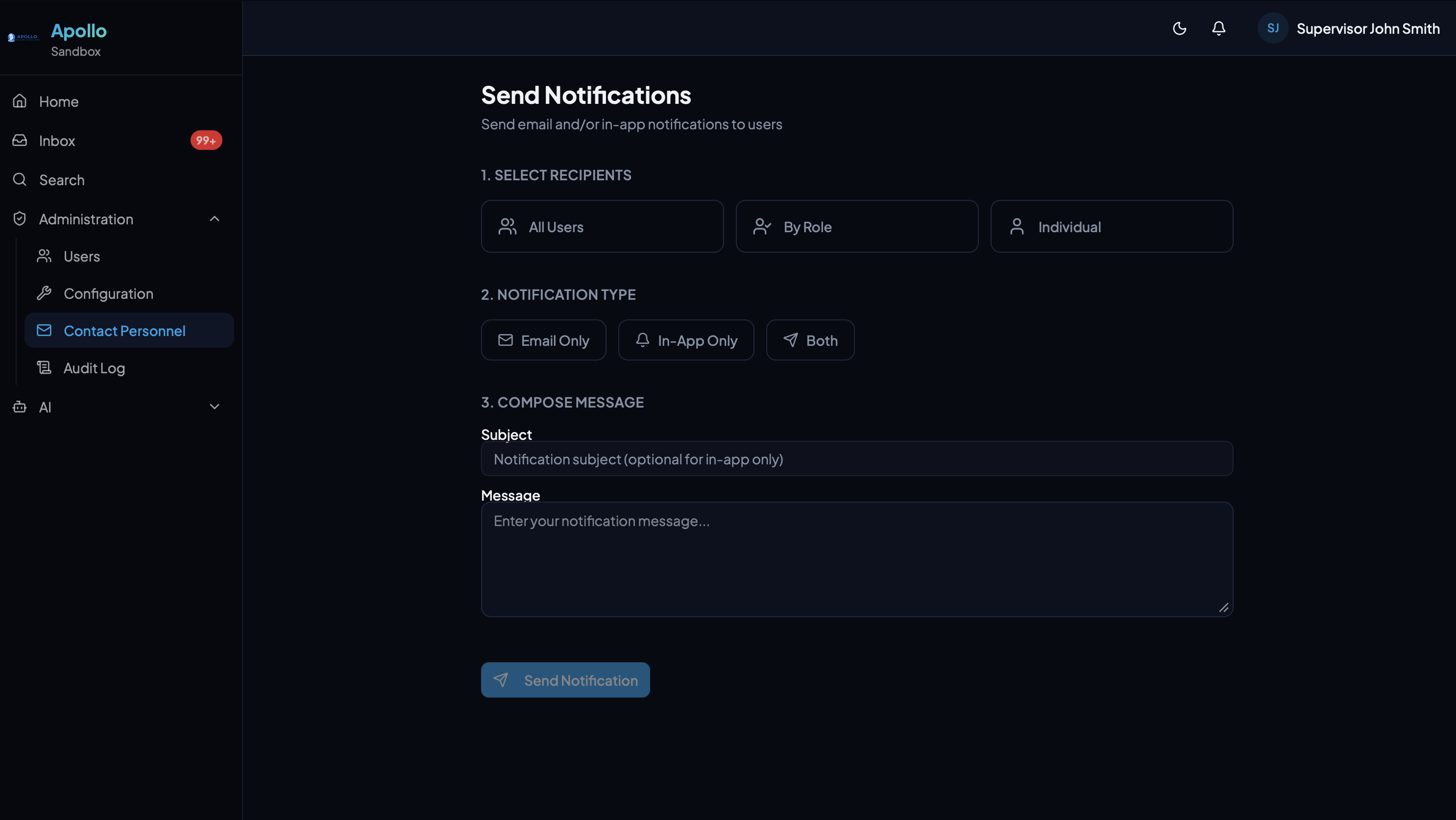
Notifications
Send targeted email or in-app notifications to all users, specific roles, or individuals.
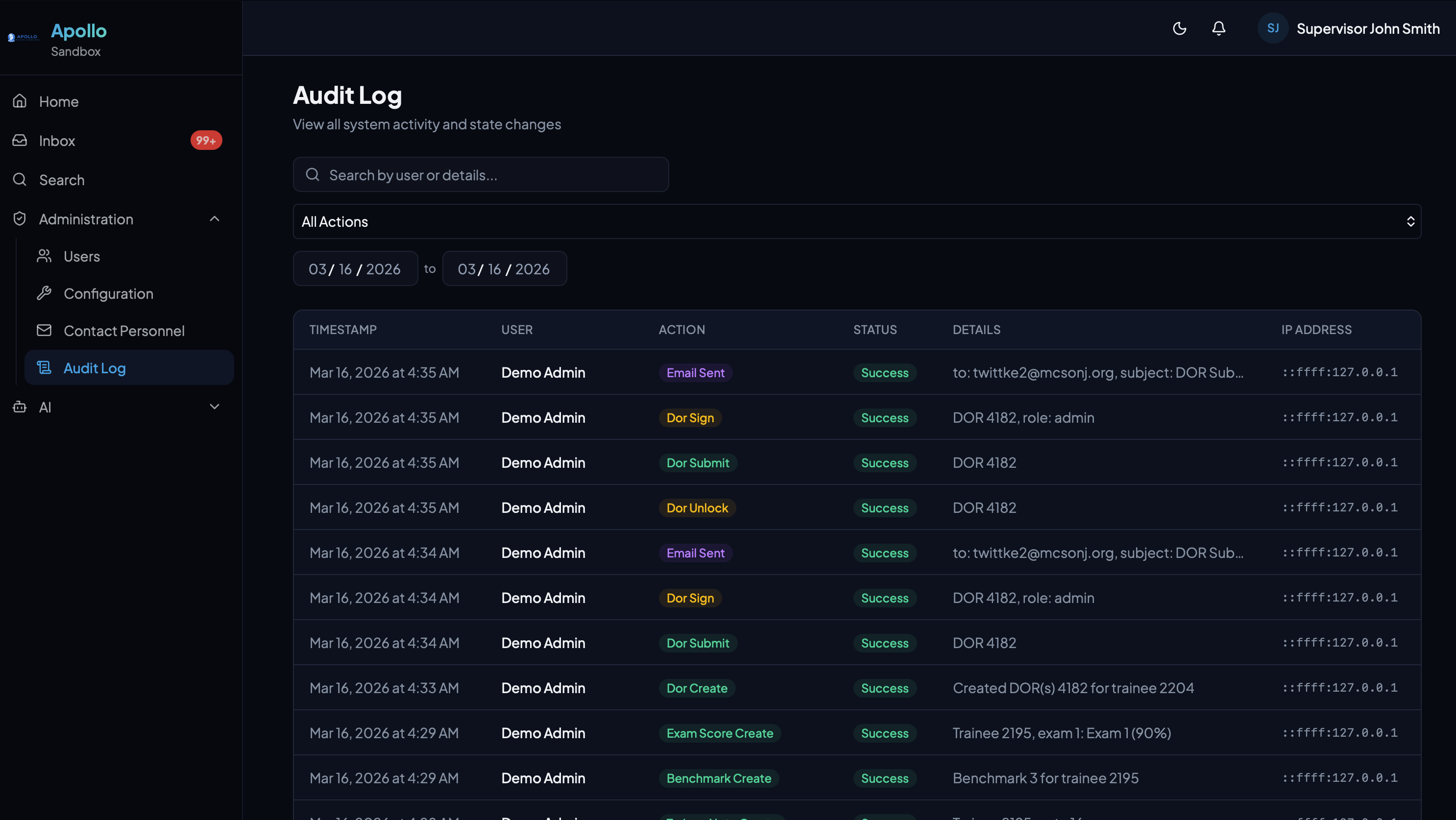
Audit Log
Every action logged with timestamps, user details, IP addresses, and descriptions. Full accountability.
Email Notifications
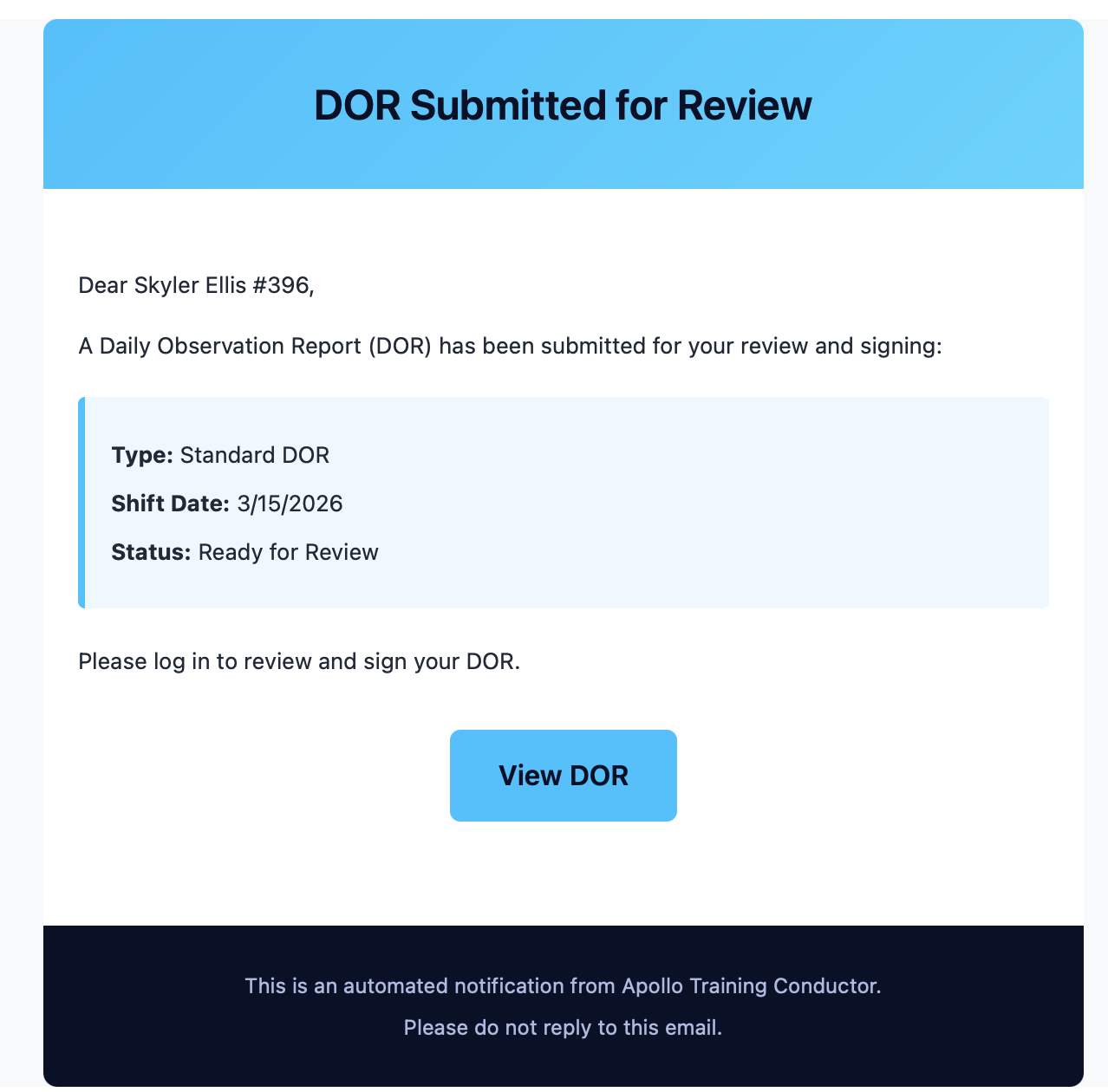
Automated email notifications keep trainees and supervisors in the loop — DOR submissions, signature requests, and more — without anyone needing to chase updates.